1.9k Views
503 Executions
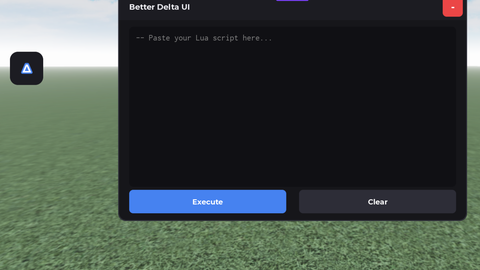
Simple Visual Gui Open Source
Universal Script 📌
v1olletPublished 10
1 year ago
Please login to perform these actions:Does it work?
No reports yetNo reports yet. Tried it? Be the first to say.
Also noticed:
Description
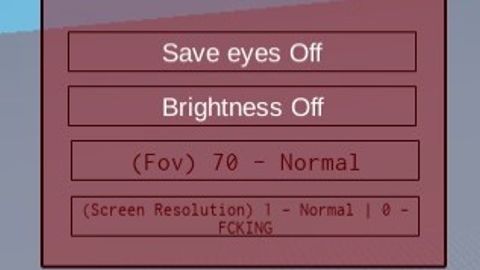
A simple yet effective visual script. Allows you to improve your gaming experience with simple visual settings Function: - FOV Changer - Screen Resolution Edit - Brightness - Save Eyes
local GUI = Instance.new("ScreenGui")
local Frame = Instance.new("Frame")
local UIStroke = Instance.new("UIStroke")
local fr1 = Instance.new("Frame")
local TextBox = Instance.new("TextBox")
local UIStroke_2 = Instance.new("UIStroke")
local TextButton = Instance.new("TextButton")
local UIStroke_3 = Instance.new("UIStroke")
local TextButton_2 = Instance.new("TextButton")
local UIStroke_4 = Instance.new("UIStroke")
local TextBox_2 = Instance.new("TextBox")
local UIStroke_5 = Instance.new("UIStroke")
local TextLabel = Instance.new("TextLabel")

GUI.Name = "GUI"
GUI.Parent = game:GetService("CoreGui")
GUI.ZIndexBehavior = Enum.ZIndexBehavior.Sibling

Frame.Parent = GUI
Frame.BackgroundColor3 = Color3.fromRGB(158, 0, 0)
Frame.BackgroundTransparency = 0.600
Frame.BorderColor3 = Color3.fromRGB(255, 255, 255)
Frame.BorderSizePixel = 2
Frame.Position = UDim2.new(0.108108111, 0, 0.314529926, 0)
Frame.Size = UDim2.new(0, 264, 0, 247)

UIStroke.Parent = Frame
UIStroke.Color = Color3.fromRGB(53, 0, 1)
UIStroke.Thickness = 2.000
UIStroke.ApplyStrokeMode = Enum.ApplyStrokeMode.Border

fr1.Name = "fr1"
fr1.Parent = Frame
fr1.BackgroundColor3 = Color3.fromRGB(158, 0, 0)
fr1.BackgroundTransparency = 1.000
fr1.BorderColor3 = Color3.fromRGB(0, 0, 0)
fr1.BorderSizePixel = 0
fr1.Position = UDim2.new(0, 0, 0.105263159, 0)
fr1.Size = UDim2.new(0, 264, 0, 221)
Comments
0Log in to join the conversation. Login
No comments yet. Be the first!