661 Views
85 Executions
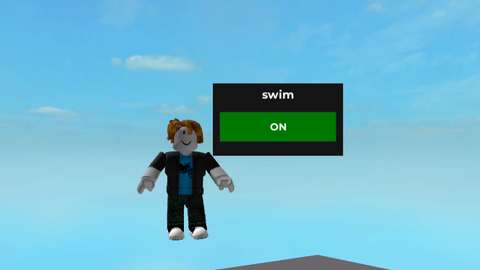
Simple Swim Toggle
Universal Script 📌
patjax774Published 25
10 months ago
Please login to perform these actions:Does it work?
No reports yetNo reports yet. Tried it? Be the first to say.
Also noticed:
Description
insert to open / close on and off
-- swim menu (FAST VERSION)

local Players = game:GetService("Players")
local UIS = game:GetService("UserInputService")
local RunService = game:GetService("RunService")

local player = Players.LocalPlayer
local char = player.Character or player.CharacterAdded:Wait()
local humanoid = char:WaitForChild("Humanoid")
local root = char:WaitForChild("HumanoidRootPart")

-- GUI
local gui = Instance.new("ScreenGui")
gui.Name = "swim_gui"
gui.ResetOnSpawn = false
gui.Parent = player:WaitForChild("PlayerGui")

local frame = Instance.new("Frame")
frame.Size = UDim2.new(0, 180, 0, 100)
frame.Position = UDim2.new(0.5, -90, 0.4, 0)
frame.BackgroundColor3 = Color3.fromRGB(20,20,20)
frame.BorderSizePixel = 0
frame.Active = true
frame.Draggable = true
frame.Parent = gui

local title = Instance.new("TextLabel")
title.Size = UDim2.new(1, 0, 0, 30)
title.BackgroundTransparency = 1
title.Text = "swim"
title.TextColor3 = Color3.new(1,1,1)
title.Font = Enum.Font.GothamBold
title.TextSize = 18
title.Parent = frame

local toggle = Instance.new("TextButton")
toggle.Size = UDim2.new(1, -20, 0, 40)
toggle.Position = UDim2.new(0, 10, 0, 40)
toggle.BackgroundColor3 = Color3.fromRGB(120,0,0)
toggle.Text = "OFF"




holy ai
ty