5.6k Views
147 Executions

Does it work?
No reports yetNo reports yet. Tried it? Be the first to say.
Also noticed:
Description
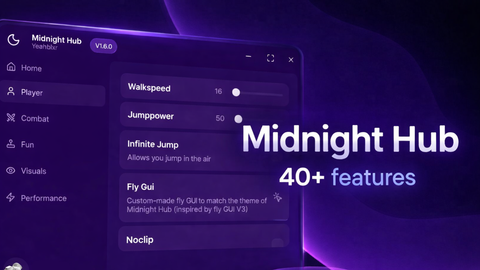
- Dash ability (custom cool ability incase you need) - Heal button - ESP (simple) - Click TP - Loop bringing - force reset character - Chat (Doesnt work lol) Also if it lacks of feature or still suck. that's because this is simple GUI, not that advance (at least not yet)
local Players = game:GetService("Players")
local RunService = game:GetService("RunService")
local UserInputService = game:GetService("UserInputService")
local StarterGui = game:GetService("StarterGui")

local LocalPlayer = Players.LocalPlayer
local PlayerGui = LocalPlayer:WaitForChild("PlayerGui")
local Camera = workspace.CurrentCamera

local ScreenGui = Instance.new("ScreenGui", PlayerGui)
ScreenGui.Name = "UltimateUtilityGUI"
ScreenGui.ResetOnSpawn = false


local function makeDraggable(frame)
	local dragging, offset
	frame.InputBegan:Connect(function(input)
		if input.UserInputType == Enum.UserInputType.MouseButton1 then
			dragging = true
			offset = Vector2.new(input.Position.X - frame.Position.X.Offset, input.Position.Y - frame.Position.Y.Offset)
		end
	end)
	UserInputService.InputEnded:Connect(function(input)
		if input.UserInputType == Enum.UserInputType.MouseButton1 then dragging = false end
	end)
	UserInputService.InputChanged:Connect(function(input)
		if dragging and input.UserInputType == Enum.UserInputType.MouseMovement then
			frame.Position = UDim2.new(0, input.Position.X - offset.X, 0, input.Position.Y - offset.Y)
		end
	end)
end

local MainFrame = Instance.new("Frame", ScreenGui)
MainFrame.Size = UDim2.new(0, 220, 0, 370)
MainFrame.Position = UDim2.new(0, 50, 0.5, -150)
MainFrame.BackgroundColor3 = Color3.fromRGB(30, 30, 30)
MainFrame.Name = "MainGUI"
makeDraggable(MainFrame)
Comments
0Log in to join the conversation. Login
No comments yet. Be the first!