793 Views
450 Executions
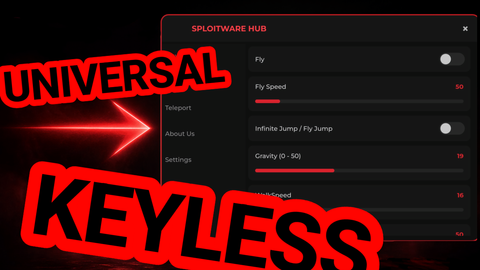
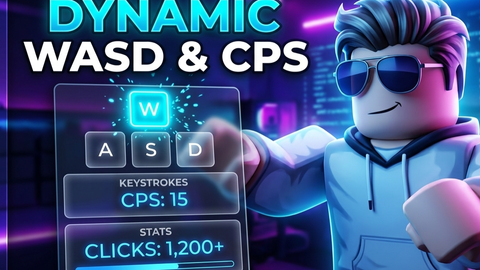
Show your controll only pc support any game
Universal Script 📌
Lololiloo100K executions
2 months ago
Reviewed by QueueSpeedDemonPaid revieweron How review works
Does it work?
No reports yetNo reports yet. Tried it? Be the first to say.
Also noticed:
Description
Show your Controlls WASD but only pc
local UserInputService = game:GetService("UserInputService")
local Players = game:GetService("Players")

local player = Players.LocalPlayer
local playerGui = player:WaitForChild("PlayerGui")

-- 1. Create ScreenGui
local screenGui = Instance.new("ScreenGui")
screenGui.Name = "KeyOverlayGui"
screenGui.ResetOnSpawn = false
screenGui.Parent = playerGui

-- 2. Create Container Frame (Compact & Small)
local container = Instance.new("Frame")
container.Name = "KeyContainer"
container.Size = UDim2.new(0, 150, 0, 100)
container.Position = UDim2.new(0.02, 0, 0.75, 0) -- Bottom-left corner
container.BackgroundTransparency = 1
container.Parent = screenGui

-- Styling Constants
local DEFAULT_COLOR = Color3.fromRGB(230, 230, 230)
local PRESSED_COLOR = Color3.fromRGB(100, 180, 255)
local TEXT_DEFAULT = Color3.fromRGB(80, 140, 220)
local TEXT_PRESSED = Color3.fromRGB(255, 255, 255)

-- Helper function to create styled key buttons
local function createKeyButton(name, text, position, size)
	local frame = Instance.new("Frame")
	frame.Name = name
	frame.Size = size
	frame.Position = position
	frame.BackgroundColor3 = DEFAULT_COLOR
	frame.BackgroundTransparency = 0.2
	frame.BorderSizePixel = 0
	frame.Parent = container

	local uiCorner = Instance.new("UICorner")
	uiCorner.CornerRadius = UDim.new(0, 8)
	uiCorner.Parent = frame
Comments
0Log in to join the conversation. Login
No comments yet. Be the first!