
2.2k Views
214 Executions
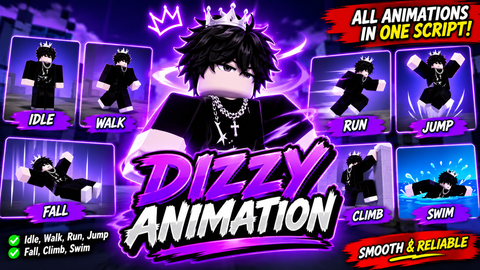
Script for making animations R15
Universal Script 📌
wolfn376410K executions
11 months ago
Please login to perform these actions:Does it work?
No reports yetNo reports yet. Tried it? Be the first to say.
Also noticed:
Description
I'll give a quick explanation; do you see this code in the script? "rbxassetid://0" In these places you put the name of the animation, usually emotes, To get the codes, you use `infinite yield`, put the animation you want in the game catalog, and use the `copyanimid` command.
local player = game.Players.LocalPlayer
local userInputService = game:GetService("UserInputService")
local RunService = game:GetService("RunService")

-- === Toggle These ===
speed = true
jump = true
-- ====================

local isUsingSetA = true

-- Animation Sets
local animSetA = {
	idle = "rbxassetid://0",
	walk = "rbxassetid://0"
}

local animSetB = {
	idle = "rbxassetid://0", -- Change this
	walk = "rbxassetid://0" -- And this.
}

local currentSet = animSetA
local walkTrack, idleTrack
local runningConnection
local speedEnforcer
local jumpEnforcer

-- Apply animations and speed/jump if enabled
local function applyAnimations(character)
	local humanoid = character:WaitForChild("Humanoid")

	-- Reset old
	if walkTrack then walkTrack:Stop() end
	if idleTrack then idleTrack:Stop() end
	if runningConnection then runningConnection:Disconnect() end
	if speedEnforcer then speedEnforcer:Disconnect() end
	if jumpEnforcer then jumpEnforcer:Disconnect() end

	-- Enforce WalkSpeed





If you have any questions, just let us know.
@wolfn3764 What is gooning🤔
@wolfn3764 I’m confused on how to change the idle animation or where to even find another idle animation