6.0k Views
119 Executions
Script Searcher
Universal Script 📌
justlivinlifePublished 10
2 years ago
Please login to perform these actions:Does it work?
No reports yetNo reports yet. Tried it? Be the first to say.
Also noticed:
Description
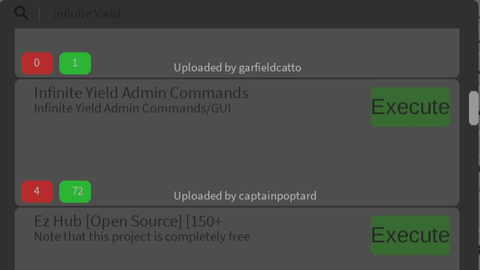
Search and execute scripts directly ingame using scriptblox's api. Discord: discord.gg/WgAcTZzStB
local UIS = game:GetService("UserInputService")
local HttpService = game:GetService("HttpService")
local TweenService = game:GetService("TweenService")
local starterGui = game:GetService("StarterGui")

local searchPrompt = ""

starterGui:SetCore("SendNotification", {
    Title = "Info",
    Text = "Press T to show the search box. And right ctrl to quit script.",
    Time = 10
})

-- code is full mess from here
local screenGui = Instance.new("ScreenGui", game:GetService("CoreGui"))
local resultFrame = Instance.new("Frame", screenGui)
resultFrame.AnchorPoint = Vector2.new(0.5, 0.5)
resultFrame.Size = UDim2.new(0.3, 28, 0.4, 36)
resultFrame.Position = UDim2.new(1, 400, 0.5, 152) -- UDim2.new(1, 400, 0.5, 152)
resultFrame.BackgroundColor3 = Color3.new(0.188235, 0.188235, 0.188235)
resultFrame.BorderSizePixel = 0

Instance.new("UICorner", resultFrame)

local searchFrame = Instance.new("Frame", screenGui)
searchFrame.AnchorPoint = Vector2.new(0.5, 0.5)
searchFrame.Size = UDim2.new(0, 0, 0, 36) -- UDim2.new(0.3, 28, 0, 36)
searchFrame.Position = UDim2.new(0.5, 0, 0.5, -74)
searchFrame.BackgroundColor3 = Color3.new(0.188235, 0.188235, 0.188235)
searchFrame.BorderSizePixel = 0

Instance.new("UICorner", searchFrame)

local searchTextBox = Instance.new("TextBox", searchFrame)
searchTextBox.AnchorPoint = Vector2.new(0.5, 0.5)
searchTextBox.Size = UDim2.new(0.5, 166, 0, 36)
searchTextBox.Position = UDim2.new(0.5, 0, 0, 18)
searchTextBox.BackgroundTransparency = 1
searchTextBox.BorderSizePixel = 0
searchTextBox.ClearTextOnFocus = false






kinda of meh, not that good
This script saved my life