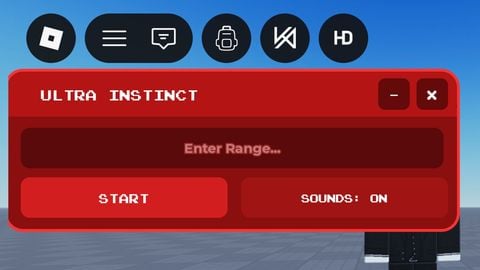
13.1k Views
17 Executions
Roxploit Ai
Universal Script 📌
Glitchplayer20Published 5
3 years ago
Please login to perform these actions:Does it work?
No reports yetNo reports yet. Tried it? Be the first to say.
Also noticed:
Description
here are the working words hello byfron_is_bypassed i am a exploiter are you an ai I will add more
Updates
Script edited: Create script
-- Create a ScreenGui to hold our GUI elements
local screenGui = Instance.new("ScreenGui")
screenGui.Parent = game.Players.LocalPlayer:WaitForChild("PlayerGui")

-- Function to create a message and handle its removal after 5 seconds
local function createMessage(text)
    local message = Instance.new("TextLabel")
    message.Size = UDim2.new(0, 200, 0, 20)
    message.Position = UDim2.new(0.5, -100, 1, -80)
    message.Text = text
    message.Parent = frame
    wait(5)
    message:Destroy()
end

-- Create a Frame for the GUI
local frame = Instance.new("Frame")
frame.Size = UDim2.new(0.5, 0, 0.5, 0) -- Adjusted size
frame.Position = UDim2.new(0.25, 0, 0.25, 0) -- Centered
frame.BackgroundColor3 = Color3.new(1, 1, 1)
frame.Parent = screenGui

-- Create a TextLabel for the AI name
local nameLabel = Instance.new("TextLabel")
nameLabel.Size = UDim2.new(1, 0, 0, 30)
nameLabel.Position = UDim2.new(0, 0, 0, 0)
nameLabel.Text = "Ro-xploit AI"
nameLabel.TextColor3 = Color3.new(0, 0, 0)
nameLabel.TextSize = 20
nameLabel.Parent = frame

-- Create an ImageLabel for your image
local imageLabel = Instance.new("ImageLabel")
imageLabel.Size = UDim2.new(0, 100, 0, 100) -- Adjusted size
imageLabel.Position = UDim2.new(0.5, -50, 0, 40) -- Adjusted position
imageLabel.Image = "INSERT_IMAGE_URL_HERE" -- Insert URL of your image
imageLabel.Parent = frame

-- Create a TextBox for input
local textBox = Instance.new("TextBox")
Comments
0Log in to join the conversation. Login
No comments yet. Be the first!