8.9k Views
196 Executions
Propelled Dash R6
Universal Script 📌
skibidimariodisneyPublished 10
2 years ago
Please login to perform these actions:Does it work?
No reports yetNo reports yet. Tried it? Be the first to say.
Also noticed:
Description
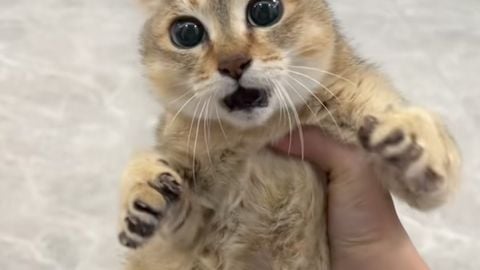
I love cats! >:3
local Players = game:GetService("Players")
local player = Players.LocalPlayer
local backpack = player:WaitForChild("Backpack")
local character = player.Character or player.CharacterAdded:Wait()
local humanoid = character:WaitForChild("Humanoid")
local hrp = character:WaitForChild("HumanoidRootPart")
local camera = workspace.CurrentCamera
local playerGui = player:WaitForChild("PlayerGui")

local canDash = true
local cooldownTime = 1.5
local cooldownStartTime = 0

local dashTool = Instance.new("Tool")
dashTool.Name = "Dash"
dashTool.RequiresHandle = false
dashTool.CanBeDropped = false

local dashGui = Instance.new("ScreenGui")
dashGui.Name = "DashGUI"
dashGui.ResetOnSpawn = false
dashGui.Enabled = false

local dashButton = Instance.new("TextButton")
dashButton.Name = "DashButton"
dashButton.Size = UDim2.new(0, 100, 0, 40)
dashButton.Position = UDim2.new(1, -110, 1, -140)
dashButton.AnchorPoint = Vector2.new(0, 0)
dashButton.BackgroundColor3 = Color3.fromRGB(60, 60, 60)
dashButton.TextColor3 = Color3.fromRGB(255, 255, 255)
dashButton.Font = Enum.Font.SourceSansBold
dashButton.TextSize = 20
dashButton.Text = "Dash"
dashButton.AutoButtonColor = true
dashButton.Parent = dashGui

local cooldownBar = Instance.new("Frame")
cooldownBar.Size = UDim2.new(0, 100, 0, 5)
cooldownBar.Position = UDim2.new(1, -110, 1, -150)
cooldownBar.BackgroundColor3 = Color3.fromRGB(255, 0, 0)
Comments
0Log in to join the conversation. Login
No comments yet. Be the first!