11.9k Views
18 Executions
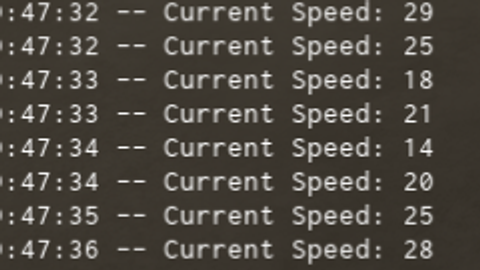
Print Current Speed
Universal Script 📌
ScripterCoderPublished 25
1 year ago
Please login to perform these actions:Does it work?
No reports yetNo reports yet. Tried it? Be the first to say.
Also noticed:
Description
Maybe Helpful when making a script.
local player = game.Players.LocalPlayer
local character = player.Character or player.CharacterAdded:Wait()
local rootPart = character:WaitForChild("HumanoidRootPart")

local lastPosition = rootPart.Position

while true do
    wait(0.5)
    local currentPosition = rootPart.Position
    local distance = (currentPosition - lastPosition).Magnitude
    local speed = distance / 0.5

    if speed > 0 then
        print("Current Speed: " .. math.floor(speed))
    end

    lastPosition = currentPosition
end
Comments
0Log in to join the conversation. Login
No comments yet. Be the first!