808 Views
11 Executions
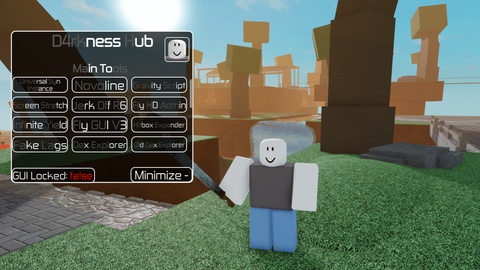
PowerX V2 PowerMAX Official
Universal Script 📌
YwuyirongPublished 10
1 year ago
Please login to perform these actions:Does it work?
No reports yetNo reports yet. Tried it? Be the first to say.
Also noticed:
Description
V2 Op
Updates
Script edited: Update script
-- PowerMAX V2 完整安全版
local Players = game:GetService("Players")
local lp = Players.LocalPlayer

-- GUI 安全 parent
local ScreenGui = Instance.new("ScreenGui")
ScreenGui.Name = "PowerMAX_V2"
ScreenGui.Parent = lp:WaitForChild("PlayerGui") -- 安全 parent

-- 主框架
local Frame = Instance.new("Frame", ScreenGui)
Frame.Size = UDim2.new(0, 400, 0, 300)
Frame.Position = UDim2.new(0.5, -200, 0.5, -150)
Frame.BackgroundColor3 = Color3.fromRGB(25,25,25)
Frame.Active = true
Frame.Draggable = true

-- 標題
local Title = Instance.new("TextLabel", Frame)
Title.Size = UDim2.new(1,0,0,30)
Title.BackgroundColor3 = Color3.fromRGB(35,35,35)
Title.Text = "PowerMAX V2"
Title.Font = Enum.Font.GothamBold
Title.TextColor3 = Color3.fromRGB(255,255,255)
Title.TextSize = 18

-- 輸入框
local CodeBox = Instance.new("TextBox", Frame)
CodeBox.Size = UDim2.new(1, -20, 0, 100)
CodeBox.Position = UDim2.new(0, 10, 0, 40)
CodeBox.BackgroundColor3 = Color3.fromRGB(20,20,20)
CodeBox.TextColor3 = Color3.fromRGB(255,255,255)
CodeBox.PlaceholderText = "輸入 Lua 腳本..."
CodeBox.ClearTextOnFocus = false
CodeBox.MultiLine = true
CodeBox.TextWrapped = true

-- Execute 按鈕
local ExecuteBtn = Instance.new("TextButton", Frame)
ExecuteBtn.Size = UDim2.new(0.3, 0, 0, 35)
Comments
0Log in to join the conversation. Login
No comments yet. Be the first!