
858 Views
14 Executions
Popguixrt8 by popularkidd
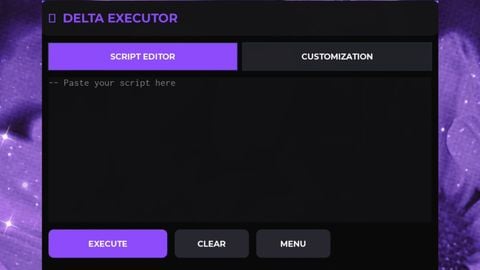
Universal Script 📌
popularkiddPublished 5
1 year ago
Please login to perform these actions:Does it work?
No reports yetNo reports yet. Tried it? Be the first to say.
Also noticed:
Description
There are over 30 features, join popularkidd group for request of more guis and scripts!
-- StarterGui > ScreenGui > LocalScript
-- Safe GUI with 8 columns (tables), 40 scripts, sword giver, music, and billboard and more coming soon!

local Players = game:GetService("Players")
local player = Players.LocalPlayer
local character = player.Character or player.CharacterAdded:Wait()
local humanoid = character:WaitForChild("Humanoid")

-- CREATE GUI
local screenGui = Instance.new("ScreenGui")
screenGui.Name = "p0pguixrt8"
screenGui.Parent = player:WaitForChild("PlayerGui")

local openButton = Instance.new("TextButton")
openButton.Size = UDim2.new(0, 120, 0, 50)
openButton.Position = UDim2.new(0, 20, 0, 100)
openButton.BackgroundColor3 = Color3.fromRGB(255, 0, 0)
openButton.Text = "Open GUI"
openButton.Parent = screenGui

local mainFrame = Instance.new("ScrollingFrame")
mainFrame.Size = UDim2.new(0, 700, 0, 300)
mainFrame.Position = UDim2.new(0.5, -350, 0.5, -150)
mainFrame.BackgroundColor3 = Color3.fromRGB(0, 0, 0)
mainFrame.BorderColor3 = Color3.fromRGB(255, 0, 0)
mainFrame.ScrollBarThickness = 10
mainFrame.Visible = false
mainFrame.CanvasSize = UDim2.new(0, 0, 5, 0) -- adjustable vertical scroll
mainFrame.Parent = screenGui

-- Title Image
local titleImage = Instance.new("ImageLabel")
titleImage.Size = UDim2.new(1, 0, 0.3, 80)
titleImage.BackgroundTransparency = 1
titleImage.Image = "rbxassetid://121309010086801"
titleImage.Parent = mainFrame

-- BUTTONS DATA (40 scripts, grouped for 8 tables with 5 rows each)
local buttons = {
    -- Table 1






cool