3.1k Views
28 Executions
Player notifier
Universal Script 📌
Deve10K executions
2 years ago
Please login to perform these actions:Does it work?
No reports yetNo reports yet. Tried it? Be the first to say.
Also noticed:
Description
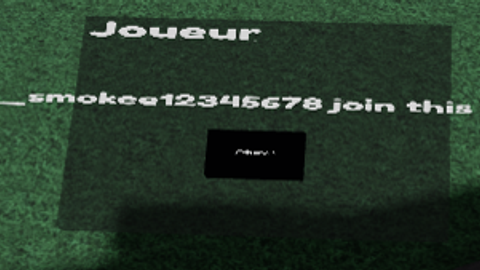
when a player leave or join your game a part spawn
Updates
Script edited: Create script
local Players = game:GetService("Players")
local player = Players.LocalPlayer
local character = player.Character or player.CharacterAdded:Wait()
local humanoidRootPart = character:WaitForChild("HumanoidRootPart")
local playerCFrame = humanoidRootPart.CFrame

local lastPart -- Pour garder la référence à la dernière notification

function main(title, desc)
	local newPos = CFrame.new(humanoidRootPart.Position.X, humanoidRootPart.Position.Y, humanoidRootPart.Position.Z - 5)
    if lastPart then
        lastPart:Destroy() -- Détruire la dernière notification si elle existe
    end

    local part = Instance.new("Part")
    part.Size = Vector3.new(8, 0.3, 5)
    part.Parent = workspace
    part.Anchored = true
    part.Color = Color3.new(0.2, 0.2, 0.2)
    part.Transparency = 0.5
    part.CanCollide = false
    part.CanTouch = false
    part.CanQuery = false
    part.Name = "Screen"
    part.Material = Enum.Material.Neon
    part.CFrame = newPos
    part.Rotation = Vector3.new(20, 0, 0)

    local screenguiMain = Instance.new("SurfaceGui")
    screenguiMain.Parent = part
    screenguiMain.Face = Enum.NormalId.Top
    screenguiMain.Adornee = part

    local textLabel = Instance.new("TextLabel")
    textLabel.Parent = screenguiMain
    textLabel.Text = title
    textLabel.Rotation = 90
    textLabel.Size = UDim2.new(0.5, 0, 0.5, 0)
    textLabel.Position = UDim2.new(0, 550, 0, 10)
    textLabel.BackgroundTransparency = 1
Comments
0Log in to join the conversation. Login
No comments yet. Be the first!