11.8k Views
361 Executions
Obsidian Ui Lib Peak Library
Universal Script 📌
IkzzFirst script
1 year ago
Please login to perform these actions:Does it work?
No reports yetNo reports yet. Tried it? Be the first to say.
Also noticed:
Description
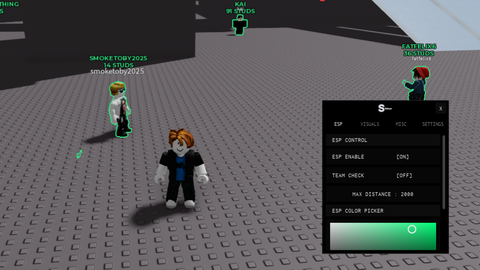
Obsidian Ui Lib Not Mine The Repo Can Be Found Here: https://github.com/deividcomsono/Obsidian
-- example script by https://github.com/mstudio45/LinoriaLib/blob/main/Example.lua and modified by deivid
-- You can suggest changes with a pull request or something

local repo = "https://raw.githubusercontent.com/deividcomsono/Obsidian/main/"
local Library = loadstring(game:HttpGet(repo .. "Library.lua"))()
local ThemeManager = loadstring(game:HttpGet(repo .. "addons/ThemeManager.lua"))()
local SaveManager = loadstring(game:HttpGet(repo .. "addons/SaveManager.lua"))()

local Options = Library.Options
local Toggles = Library.Toggles

Library.ForceCheckbox = false -- Forces AddToggle to AddCheckbox
Library.ShowToggleFrameInKeybinds = true -- Make toggle keybinds work inside the keybinds UI (aka adds a toggle to the UI). Good for mobile users (Default value = true)

local Window = Library:CreateWindow({
	-- Set Center to true if you want the menu to appear in the center
	-- Set AutoShow to true if you want the menu to appear when it is created
	-- Set Resizable to true if you want to have in-game resizable Window
	-- Set MobileButtonsSide to "Left" or "Right" if you want the ui toggle & lock buttons to be on the left or right side of the window
	-- Set ShowCustomCursor to false if you don't want to use the Linoria cursor
	-- NotifySide = Changes the side of the notifications (Left, Right) (Default value = Left)
	-- Position and Size are also valid options here
	-- but you do not need to define them unless you are changing them :)

	Title = "mspaint",
	Footer = "version: example",
	Icon = 95816097006870,
	NotifySide = "Right",
	ShowCustomCursor = true,
})

-- CALLBACK NOTE:
-- Passing in callback functions via the initial element parameters (i.e. Callback = function(Value)...) works
-- HOWEVER, using Toggles/Options.INDEX:OnChanged(function(Value) ... ) is the RECOMMENDED way to do this.
-- I strongly recommend decoupling UI code from logic code. i.e. Create your UI elements FIRST, and THEN setup :OnChanged functions later.

-- You do not have to set your tabs & groups up this way, just a prefrence.
-- You can find more icons in https://lucide.dev/
local Tabs = {
	-- Creates a new tab titled Main
Comments
0Log in to join the conversation. Login
No comments yet. Be the first!