2.0k Views
41 Executions
ObjectCamera Made using gpt chat by ERRO_422 (Update)
Universal Script 📌
Cavalo_4443First script
1 year ago
Please login to perform these actions:Does it work?
No reports yetNo reports yet. Tried it? Be the first to say.
Also noticed:
Description
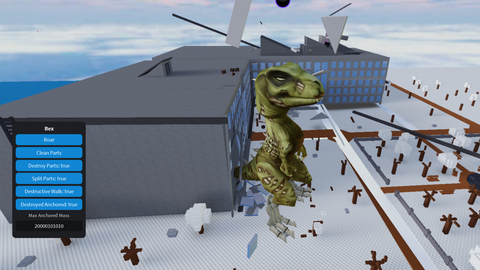
This just puts a camera that follows objects (if anyone wants to see where objects go )
Updates
Script edited: Update script
local Players = game:GetService("Players")
local player = Players.LocalPlayer
local mouse = player:GetMouse()
local playerGui = player:WaitForChild("PlayerGui")

-- Main GUI
local screenGui = Instance.new("ScreenGui")
screenGui.Name = "CameraManagerGUI"
screenGui.Parent = playerGui
screenGui.ResetOnSpawn = false

local frame = Instance.new("Frame")
frame.Size = UDim2.new(0, 320, 0, 300)
frame.Position = UDim2.new(0, 60, 0, 20)
frame.BackgroundColor3 = Color3.fromRGB(35, 35, 35)
frame.BorderSizePixel = 0
frame.Parent = screenGui

-- Button creator
local function createButton(parent, text, posX, posY, width, height)
    local btn = Instance.new("TextButton")
    btn.Size = UDim2.new(0, width, 0, height)
    btn.Position = UDim2.new(0, posX, 0, posY)
    btn.Text = text
    btn.BackgroundColor3 = Color3.fromRGB(50,50,50)
    btn.TextColor3 = Color3.fromRGB(255,255,255)
    btn.Parent = parent
    return btn
end

-- Main buttons
local createBtn = createButton(frame,"Create",10,10,80,30)
local viewBtn = createButton(frame,"View",100,10,80,30)
local deleteBtn = createButton(frame,"Delete",190,10,80,30)
local teleportBtn = createButton(frame,"Teleport",10,50,300,30)
local highlightBtn = createButton(frame,"Highlight",10,90,300,30)

-- Toggle GUI button
local toggleBtn = Instance.new("TextButton")
toggleBtn.Size = UDim2.new(0,40,0,40)
Comments
0Log in to join the conversation. Login
No comments yet. Be the first!