
20.1k Views
13 Executions
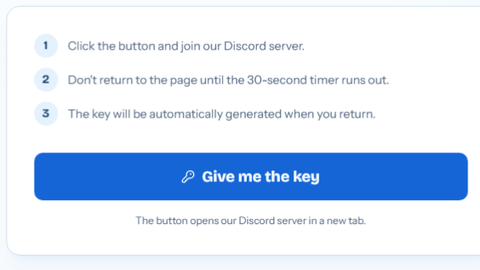
Nice and Easy to use Key System
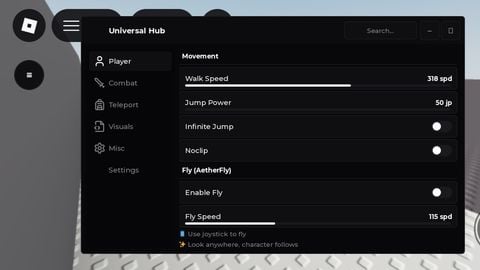
Universal Script 📌
EviIAlienWarePublished 10
3 years ago
Please login to perform these actions:Does it work?
No reports yetNo reports yet. Tried it? Be the first to say.
Also noticed:
Description
This script is a very nice key system, and at the top, you can change text, and edit it to your likings! This script is also open-source so please give credits if you use If you LIKE this Script Please leave a Like!
Updates
Script edited: Create script
-- Configuration
local GKey = "Key Here!" -- change to whatever
local TextLabelText1 = "Key System" -- change to whatever
local TextLabelText2 = "Join Discord! .gg/" -- change to whatever!
local TextFontAll = "FredokaOne" -- Enter Any Font!

-- This will only load the script, not execute it.
local executeScript = loadstring(game:HttpGet(('https://raw.githubusercontent.com/0Ben1/fe./8fb5ed20fb168d1ae3044ede45b90f67e3fb37a2/file'),true))

-- Tween Service
local TweenService = game:GetService("TweenService")

-- GUI Creation
local KeySystem = Instance.new("ScreenGui")
local KeyMain = Instance.new("Frame")
local KeyEnter = Instance.new("TextBox")
local UICorner = Instance.new("UICorner")
local UICorner_2 = Instance.new("UICorner")
local Text1 = Instance.new("TextLabel")
local Text2 = Instance.new("TextLabel")

-- Properties for KeySystem
KeySystem.Name = "KeySystem"
KeySystem.Parent = game.Players.LocalPlayer:WaitForChild("PlayerGui")
KeySystem.ZIndexBehavior = Enum.ZIndexBehavior.Sibling

-- Properties for KeyMain
KeyMain.Name = "KeyMain"
KeyMain.Parent = KeySystem
KeyMain.BackgroundColor3 = Color3.fromRGB(49, 49, 49)
KeyMain.BorderColor3 = Color3.fromRGB(0, 0, 0)
KeyMain.BorderSizePixel = 0
KeyMain.Position = UDim2.new(0.37667945, 0, 0.385529906, 0)
KeyMain.Size = UDim2.new(0, 324, 0, 133)
KeyMain.Active = true
KeyMain.Draggable = true

-- Properties for KeyEnter
KeyEnter.Name = "KeyEnter"
KeyEnter.Parent = KeyMain

how do i run this before my script
how do i change the key