810 Views
167 Executions

Does it work?
No reports yetNo reports yet. Tried it? Be the first to say.
Also noticed:
Description
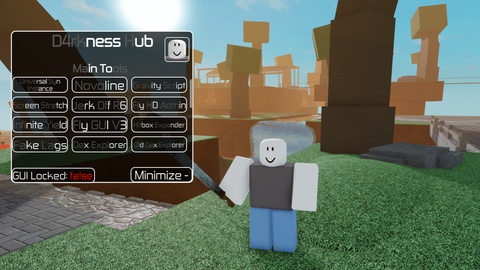
Makes games that are over-saturated look better
Updates
Script edited: Update script
Script edited: better sunrays
Script edited: added sunray and more of a blue tint
local Lighting = game:GetService("Lighting")
local Players = game:GetService("Players")
local player = Players.LocalPlayer

local originalLighting = {}
for _, obj in pairs(Lighting:GetChildren()) do
	if not obj:IsA("Sky") and not obj:IsA("Atmosphere") then
		table.insert(originalLighting, obj:Clone())
	end
end

local screenGui = Instance.new("ScreenGui")
screenGui.Name = "NaturalLightingUI"
screenGui.ResetOnSpawn = false
screenGui.Parent = player:WaitForChild("PlayerGui")

local frame = Instance.new("Frame")
frame.Size = UDim2.new(0, 162, 0, 50)
frame.Position = UDim2.new(0, 20, 0, 20)
frame.BackgroundColor3 = Color3.fromRGB(15, 15, 15)
frame.BackgroundTransparency = 0.25
frame.BorderSizePixel = 0
frame.Parent = screenGui

local frameCorner = Instance.new("UICorner")
frameCorner.CornerRadius = UDim.new(0, 14)
frameCorner.Parent = frame

local button = Instance.new("TextButton")
button.Size = UDim2.new(1, -6, 1, -6)
button.Position = UDim2.new(0, 3, 0, 3)
button.BackgroundColor3 = Color3.fromRGB(0, 190, 100)
button.Text = "Natural ON"
button.TextColor3 = Color3.new(1, 1, 1)
button.Font = Enum.Font.GothamBold
button.TextSize = 15
button.Parent = frame

local buttonCorner = Instance.new("UICorner")
buttonCorner.CornerRadius = UDim.new(0, 11)
Comments
0Log in to join the conversation. Login
No comments yet. Be the first!