15.2k Views
197 Executions
Does it work?
No reports yetNo reports yet. Tried it? Be the first to say.
Also noticed:
Description
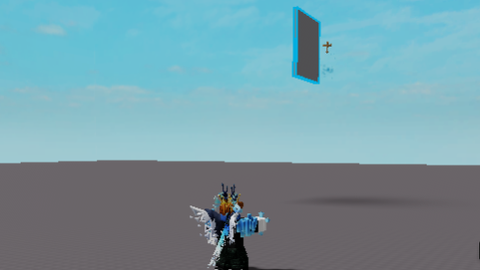
Simple Overhead Nametags, I still don't know how to hide the nametags provided by Roblox. I think this still has bugs but it works, it has Premium, Verified, and Friend Badges, Inspired by Dandy's World btw:D
local Players = game:GetService("Players")
local Player = Players.LocalPlayer
local PremiumBadge = " "
local VerifiedBadge = " "
local FriendsBadge = "rbxassetid://18207951972"
local function NameTags(player)
local function onCharacterAdded(character)
local humanoidRootPart = character:WaitForChild("HumanoidRootPart", 0.5)
local head = character:WaitForChild("Head", 0.5)
local NameTag = Instance.new("BillboardGui")
NameTag.Size = UDim2.new(3, 0, 3, 0)
NameTag.StudsOffsetWorldSpace = Vector3.new(0, 1.05358, 0)
NameTag.ExtentsOffsetWorldSpace = Vector3.new(0, 1.4537, 0)
NameTag.ResetOnSpawn = true
NameTag.MaxDistance = 50
NameTag.Adornee = head -- Fix: attach to the head
NameTag.Name = "NameTag"
NameTag.Parent = head -- Parent the BillboardGui to the head as well
local frame = Instance.new("Frame")
frame.Size = UDim2.new(1, 0, 1, 0)
frame.BackgroundColor3 = Color3.fromRGB(255, 255, 255)
frame.BackgroundTransparency = 1
frame.Parent = NameTag
frame.Name = "Names"
local UserName = Instance.new("TextLabel")
UserName.Text = "(@" .. player.Name .. ")"
UserName.Font = Enum.Font.FredokaOne
UserName.Size = UDim2.new(0.7, 0, 0.3, 0)
UserName.TextSize = 20
UserName.Position = UDim2.new(0.15, 0, 0.05, 0)
UserName.TextScaled = true
UserName.TextWrapped = true
UserName.BackgroundTransparency = 1
UserName.TextColor3 = Color3.fromRGB(114, 117, 130)
UserName.TextStrokeTransparency = 0.5
UserName.Parent = frame
Comments
0Log in to join the conversation. Login
No comments yet. Be the first!