
6.3k Views
3.1k Executions
NPC Hitbox Expander
Universal Script 📌
DefyzPublished 50
1 year ago
Please login to perform these actions:Does it work?
No reports yetNo reports yet. Tried it? Be the first to say.
Also noticed:
Description
• Hitbox Expand NPC • head/torso
--// Source Code If u Want To Modify

local Players = game:GetService("Players")
local lp = Players.LocalPlayer
local camera = workspace.CurrentCamera

-- Create GUI
local gui = Instance.new("ScreenGui", lp:WaitForChild("PlayerGui"))
gui.Name = "NPCHitboxExpanderGUI"
gui.ResetOnSpawn = false

local frame = Instance.new("Frame", gui)
frame.Name = "MainFrame"
frame.Size = UDim2.new(0, 250, 0, 220)
frame.Position = UDim2.new(0, 20, 0.3, 0)
frame.BackgroundColor3 = Color3.fromRGB(20, 20, 20)
frame.BackgroundTransparency = 0.4
frame.BorderSizePixel = 0
frame.Active = true
frame.Draggable = true

local title = Instance.new("TextLabel", frame)
title.Size = UDim2.new(1, -40, 0, 30)
title.Position = UDim2.new(0, 10, 0, 5)
title.BackgroundTransparency = 1
title.Text = "NPC Hitbox Expander"
title.Font = Enum.Font.GothamBold
title.TextSize = 16
title.TextColor3 = Color3.new(1,1,1)
title.TextXAlignment = Enum.TextXAlignment.Left

local minimizeBtn = Instance.new("TextButton", frame)
minimizeBtn.Size = UDim2.new(0, 30, 0, 30)
minimizeBtn.Position = UDim2.new(1, -35, 0, 5)
minimizeBtn.Text = "-"
minimizeBtn.Font = Enum.Font.Gotham
minimizeBtn.TextSize = 18
minimizeBtn.BackgroundColor3 = Color3.fromRGB(40, 40, 40)
minimizeBtn.TextColor3 = Color3.new(1,1,1)
minimizeBtn.BorderSizePixel = 0




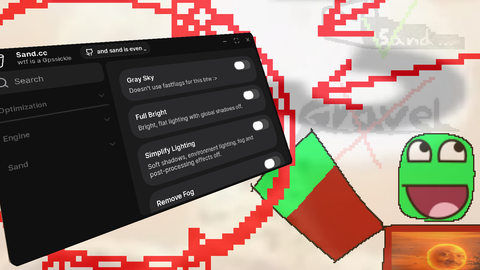


yoo i actually got the idea from this guy W i made the second version of that script but didnt use his tho just inspired me
Make it get new npcs and applies the hitbox