1.1k Views
544 Executions
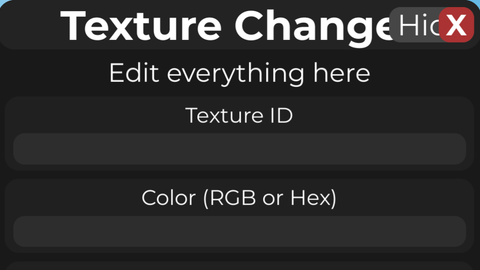
NOT FE Texture Changer GUI
Universal Script 📌
ddorredorePublished 10
7 months ago
Please login to perform these actions:Does it work?
No reports yetNo reports yet. Tried it? Be the first to say.
Also noticed:
Description
--// Texture Changer GUI --// Open Source | Credit: Me --// Local-only visual changer --// Easily change textures, colors, and materials of all parts in your game. --// Includes CHAOS mode for random fun! --// Put this LocalScript in StarterPlayerScripts or StarterGui
--// Texture Changer GUI
--// Put this LocalScript in StarterPlayerScripts or StarterGui
--// Local-only visual changer

local Players = game:GetService("Players")
local UserInputService = game:GetService("UserInputService")

local player = Players.LocalPlayer
local rng = Random.new()

--========================
-- EDIT HERE
--========================
local guiTitle = "Texture Changer"
local mainButtonText = "Apply"
local smallButtonText = "Open"

local defaultTextureId = ""      -- example: 5373446510 or rbxassetid://5373446510
local defaultColorText = ""       -- example: 255,0,0 or #FF0000
local defaultChaosPool = ""       -- comma-separated texture ids for chaos mode
local defaultMaterialName = "Plastic"
--========================

local materialList = {
	Enum.Material.Plastic,
	Enum.Material.SmoothPlastic,
	Enum.Material.Neon,
	Enum.Material.Wood,
	Enum.Material.WoodPlanks,
	Enum.Material.Glass,
	Enum.Material.Concrete,
	Enum.Material.Granite,
	Enum.Material.Slate,
	Enum.Material.Metal,
	Enum.Material.CorrodedMetal,
	Enum.Material.DiamondPlate,
	Enum.Material.Foil,
	Enum.Material.Ice,
	Enum.Material.Fabric,
	Enum.Material.Grass,



not working