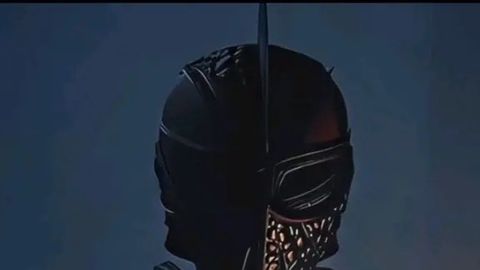
425 Views
593 Executions
MX script
Universal Script 📌
StarGltichPublished 5
9 months ago
Please login to perform these actions:Does it work?
No reports yetNo reports yet. Tried it? Be the first to say.
Also noticed:
Description
Rework charge Add M1 mechanic And idk
local Player = game.Players.LocalPlayer
local UserInputService = game:GetService("UserInputService")
local RunService = game:GetService("RunService")
local Debris = game:GetService("Debris")

local ScreenGui = Player.PlayerGui:FindFirstChild("MxDurrMobile")
if ScreenGui then ScreenGui:Destroy() end

ScreenGui = Instance.new("ScreenGui", Player.PlayerGui)
ScreenGui.Name = "MxDurrMobile"
ScreenGui.ResetOnSpawn = false

-- UI de Status
local StatusLabel = Instance.new("TextLabel", ScreenGui)
StatusLabel.Size = UDim2.new(0, 150, 0, 40)
StatusLabel.Position = UDim2.new(0.85, 0, 0.1, 0)
StatusLabel.BackgroundTransparency = 0.5
StatusLabel.BackgroundColor3 = Color3.new(0, 0, 0)
StatusLabel.TextColor3 = Color3.fromRGB(255, 165, 0)
StatusLabel.Font = Enum.Font.SourceSansBold
StatusLabel.TextSize = 20
StatusLabel.Text = "Status: Idle"

local EffectsLabel = Instance.new("TextLabel", ScreenGui)
EffectsLabel.Size = UDim2.new(0, 200, 0, 30)
EffectsLabel.Position = UDim2.new(0.05, 0, 0.2, 0)
EffectsLabel.BackgroundTransparency = 0.5
EffectsLabel.BackgroundColor3 = Color3.new(0,0,0)
EffectsLabel.Text = "Efeito: Nenhum"
EffectsLabel.TextColor3 = Color3.new(1, 1, 1)
EffectsLabel.Font = Enum.Font.SourceSansBold
EffectsLabel.TextSize = 16

local GrabProgress = Instance.new("TextLabel", ScreenGui)
GrabProgress.Size = UDim2.new(0, 250, 0, 30)
GrabProgress.Position = UDim2.new(0.4, -25, 0.85, 0)
GrabProgress.BackgroundTransparency = 0.5
GrabProgress.BackgroundColor3 = Color3.new(0.1, 0, 0)
GrabProgress.TextColor3 = Color3.new(1, 1, 1)
GrabProgress.Text = "TARGET PROGRESS: 0/4"





Not saying it needs animations but is it suppose to have custom animations, or is it just the abilities with the voicelines and that's it?