2.7k Views
15.1k Executions
Lolet gui v1
10K executions
Universal Script 📌
Lolet10K executions
4 months ago
Please login to perform these actions:Does it work?
No reports yetNo reports yet. Tried it? Be the first to say.
Also noticed:
Description
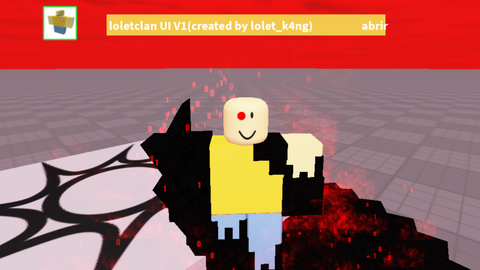
Es amarillo fuertesito tiene algunas cosas fe y otras no ya la van a ver cuando lo usen usenlo con responsabilidad y gracias por leer
local Players = game:GetService("Players")
local Player = Players.LocalPlayer
local PlayerGui = Player:WaitForChild("PlayerGui")
local UserInputService = game:GetService("UserInputService")

local GUI_WIDTH, GUI_HEIGHT = 400, 360
local TITLE_HEIGHT, NAV_HEIGHT, FOOTER_HEIGHT = 30, 30, 30
local BUTTON_HEIGHT, BUTTON_PADDING = 30, 5

local screenGui = Instance.new("ScreenGui")
screenGui.Name = "C00lclanGui"
screenGui.ResetOnSpawn = false
screenGui.Parent = PlayerGui

-- 📢 Notificación al cargar
local StarterGui = game:GetService("StarterGui")
StarterGui:SetCore("SendNotification", {
    Title = "loletclan v1",
    Text = "welcome to loletclan v1!",
    Icon = "rbxassetid://129312061853104",
    Duration = 10
})

local mainFrame = Instance.new("Frame")
mainFrame.Size = UDim2.new(0, GUI_WIDTH, 0, GUI_HEIGHT)
mainFrame.Position = UDim2.new(0.5, -GUI_WIDTH/2, 0.5, -GUI_HEIGHT/2)
mainFrame.BackgroundColor3 = Color3.fromRGB(242, 201, 76)
mainFrame.BorderSizePixel = 0
mainFrame.Parent = screenGui

-- 🔹 Barra de título
local titleBar = Instance.new("Frame", mainFrame)
titleBar.Size = UDim2.new(1, 0, 0, TITLE_HEIGHT)
titleBar.BackgroundColor3 = Color3.fromRGB(242, 201, 76)
titleBar.BorderSizePixel = 0

local titleLabel = Instance.new("TextLabel", titleBar)
titleLabel.Size = UDim2.new(1, -30, 1, 0)
titleLabel.Position = UDim2.new(0, 4, 0, 0)
titleLabel.BackgroundTransparency = 1


wwwwwwwwwwwwwwwwwwwwwwwwwwwwwwwwwwwwwwwww