619 Views
18 Executions

Does it work?
No reports yetNo reports yet. Tried it? Be the first to say.
Also noticed:
Description
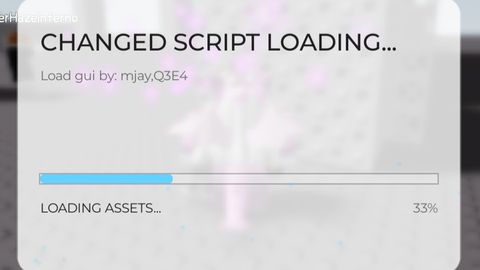
This is not something I did Anyway, this GUI is cool XD
local Players = game:GetService("Players")
local TweenService = game:GetService("TweenService")
local RunService = game:GetService("RunService")
local Lighting = game:GetService("Lighting")

local player = Players.LocalPlayer
local playerGui = player:WaitForChild("PlayerGui")

local function CreateBlurEffect(parent)
    local blur = Instance.new("BlurEffect")
    blur.Name = "LoadingUIBlur"
    blur.Size = 12
    blur.Parent = Lighting

    local frame = Instance.new("Frame")
    frame.Size = UDim2.new(1, 0, 1, 0)
    frame.BackgroundTransparency = 1
    frame.Parent = parent

    local function updateBlur()
        if not blur or not blur.Parent then return end
        local viewportSize = workspace.CurrentCamera.ViewportSize
        local center = frame.AbsolutePosition + frame.AbsoluteSize / 2
        local distance = (center - Vector2.new(viewportSize.X/2, viewportSize.Y/2)).Magnitude
        blur.Size = math.clamp(12 - distance / 50, 3, 12)
    end

    local connection
    connection = RunService.RenderStepped:Connect(function()
        if not blur or not blur.Parent then
            connection:Disconnect()
            return
        end
        updateBlur()
    end)

    return blur
end

local function CreateLoadingScreen(config)
Comments
0Log in to join the conversation. Login
No comments yet. Be the first!