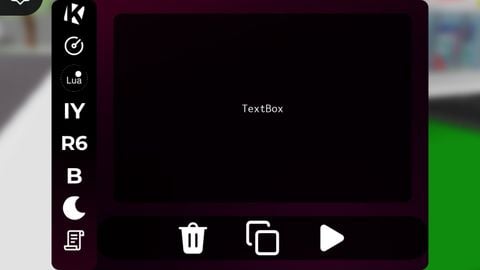
931 Views
517 Executions
Krnl x v6
Universal Script 📌
Pyetro006First script
10 months ago
Please login to perform these actions:Does it work?
No reports yetNo reports yet. Tried it? Be the first to say.
Also noticed:
Description
Krnl x v6 by korbloxian Group the ir discord:https://discord.gg/MqKJjJkcH:
-- Krnl X – FINAL VERSION (Intro updated: faster stages 0.1s + centered text + transparent bg + image 0.2 + UICorner 0,9 + No click sounds)
-- Intro: faster 0.1s per stage, Krnl X text perfectly centered, background transparent (1), image transparency 0.2
-- UICorner 0,9 everywhere in intro
-- All click/tap sounds removed (no playMainClick/playSideClick calls)
-- All other features preserved (Lua panel, FOV, panels, etc.)
-- 100% working – Copy & paste!

local TweenService = game:GetService("TweenService")
local Lighting = game:GetService("Lighting")
local UserInputService = game:GetService("UserInputService")
local Players = game:GetService("Players")
local player = Players.LocalPlayer
local camera = workspace.CurrentCamera
local pgui = player:WaitForChild("PlayerGui")

local main = Instance.new("ScreenGui")
main.Name = "KrnlX_GUI"
main.ResetOnSpawn = false
main.IgnoreGuiInset = true
main.Parent = pgui

-- ==================== INTRO ====================
task.spawn(function()
    local intro = Instance.new("ImageLabel")
    intro.Size = UDim2.new(0,667,0,421)
    intro.Position = UDim2.new(0.5,0,0.5,0)
    intro.AnchorPoint = Vector2.new(0.5,0.5)
    intro.BackgroundTransparency = 1  -- fully transparent background
    intro.Image = "rbxassetid://6278672195"
    intro.ImageColor3 = Color3.fromRGB(136,0,32)
    intro.ImageTransparency = 0.2  -- image semi-transparent
    intro.Parent = main
    Instance.new("UICorner",intro).CornerRadius = UDim.new(0,9)

    local txt = Instance.new("TextLabel",intro)
    txt.Size = UDim2.new(1,0,1,0)
    txt.Position = UDim2.new(0,0,0,0)
    txt.BackgroundTransparency = 1
    txt.Text = "Krnl X"
    txt.TextColor3 = Color3.new(1,1,1)


Ok
No ChatGPT its not my