
17.4k Views
971 Executions
K00pKid GUI Keyless
Universal Script 📌
OmarsRobloxScriptsPublished 5
2 years ago
Please login to perform these actions:Does it work?
No reports yetNo reports yet. Tried it? Be the first to say.
Also noticed:
Description
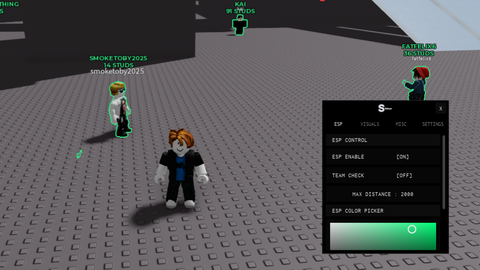
Koopkid hacks gui
Updates
Script edited: Create script
Ekrana GUI ekleyelim
local screenGui = Instance.new("ScreenGui")
screenGui.Name = "GAME INFO BY DBOmar_main on tiktok LOL "
screenGui.Parent = game.Players.LocalPlayer:WaitForChild("PlayerGui")

-- Ana Çerçeve (Frame) Oluşturma
local frame = Instance.new("Frame")
frame.Size = UDim2.new(0.4, 0, 0.5, 0) -- Yüksekliği %50, genişliği %40
frame.Position = UDim2.new(0.3, 0, 0.25, 0) -- Ortada
frame.BackgroundColor3 = Color3.fromRGB(50, 50, 50)
frame.Visible = false -- Başlangıçta görünmez
frame.Parent = screenGui

-- Kaydırılabilir Çerçeve (ScrollingFrame)
local scrollingFrame = Instance.new("ScrollingFrame")
scrollingFrame.Size = UDim2.new(1, 0, 1, 0)
scrollingFrame.Position = UDim2.new(0, 0, 0, 0)
scrollingFrame.BackgroundTransparency = 1
scrollingFrame.ScrollBarThickness = 10
scrollingFrame.Parent = frame

-- İçerik Çerçevesi (UIListLayout için)
local contentFrame = Instance.new("Frame")
contentFrame.Size = UDim2.new(1, 0, 1, 0)
contentFrame.BackgroundTransparency = 1
contentFrame.Parent = scrollingFrame

-- UIListLayout
local listLayout = Instance.new("UIListLayout")
listLayout.FillDirection = Enum.FillDirection.Vertical
listLayout.Padding = UDim.new(0, 3) -- Butonlar arasındaki boşluk
listLayout.Parent = contentFrame

-- Fonksiyonları tanımlayın
local function createButton(name, color, action)
    local button = Instance.new("TextButton")
    button.Size = UDim2.new(1, 0, 0, 25) -- Buton yüksekliği 25 piksel
    button.Text = name
    button.BackgroundColor3 = color


is this FE??????
begenmedim
chatgpt ile yapmissin denicem
how to use
Hello