422 Views
799 Executions
K00PKIDDF1
Universal Script 📌
K00PKI00F1Published 5
7 months ago
Please login to perform these actions:Does it work?
No reports yetNo reports yet. Tried it? Be the first to say.
Also noticed:
Description
La última versión Ya no voy a quedar nada más
-- GUI K00PKIDDF1!!🤑🤑 (MODO CUADRO / GRID) - VERSIÓN LIMPIA
local ScreenGui = Instance.new("ScreenGui")
local MainFrame = Instance.new("Frame")
local Title = Instance.new("TextLabel")
local ScrollFrame = Instance.new("ScrollingFrame")
local GridLayout = Instance.new("UIGridLayout")

ScreenGui.Name = "K00pKidGridMenu"
ScreenGui.Parent = game.Players.LocalPlayer:WaitForChild("PlayerGui")
ScreenGui.ResetOnSpawn = false

MainFrame.Name = "MainFrame"
MainFrame.Parent = ScreenGui
MainFrame.BackgroundColor3 = Color3.fromRGB(0, 0, 0)
MainFrame.Position = UDim2.new(0.3, 0, 0.3, 0)
MainFrame.Size = UDim2.new(0, 450, 0, 350)
MainFrame.Active = true
MainFrame.Draggable = true

local FrameCorner = Instance.new("UICorner")
FrameCorner.CornerRadius = UDim.new(0, 15)
FrameCorner.Parent = MainFrame

Title.Name = "Title"
Title.Parent = MainFrame
Title.Size = UDim2.new(1, 0, 0, 50)
Title.Text = "K00PKIDDF1!! 🤑 PANEL"
Title.TextColor3 = Color3.fromRGB(0, 255, 0)
Title.TextSize = 24
Title.Font = Enum.Font.SourceSansBold
Title.BackgroundTransparency = 1

ScrollFrame.Name = "ScrollFrame"
ScrollFrame.Parent = MainFrame
ScrollFrame.BackgroundTransparency = 1
ScrollFrame.Position = UDim2.new(0, 10, 0, 60)
ScrollFrame.Size = UDim2.new(1, -20, 1, -70)
ScrollFrame.CanvasSize = UDim2.new(0, 0, 0, 1750)
ScrollFrame.ScrollBarThickness = 6
ScrollFrame.ScrollBarImageColor3 = Color3.fromRGB(0, 255, 0)






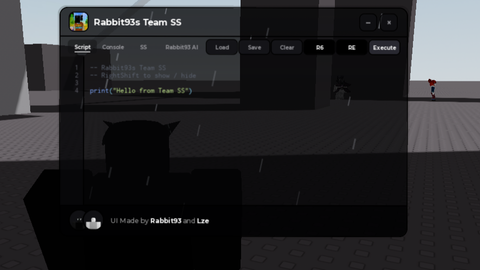
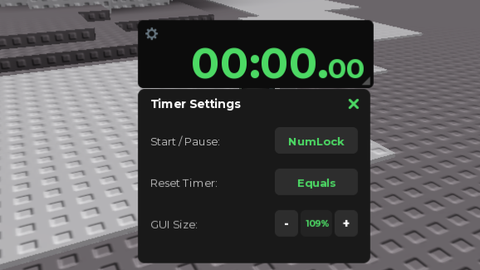

goods