3.8k Views
13 Executions
Jumppower O Meter
Universal Script 📌
ddorredorePublished 10
2 years ago
Please login to perform these actions:Does it work?
No reports yetNo reports yet. Tried it? Be the first to say.
Also noticed:
Description
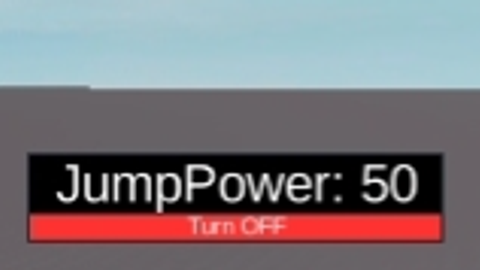
simple jumppower meter shows your current jumppower in a small gui - draggable (mobile works) - live update - toggle button (hides text only) made this cuz I wanted to see jumppower while testing client-side
local player = game.Players.LocalPlayer
local character = player.Character or player.CharacterAdded:Wait()
local humanoid = character:WaitForChild("Humanoid")

-- Create JumpPower Meter GUI
local screenGui = Instance.new("ScreenGui")
screenGui.Parent = player:WaitForChild("PlayerGui")

local frame = Instance.new("Frame")
frame.Size = UDim2.new(0.2, 0, 0.1, 0)
frame.Position = UDim2.new(0.7, 0, 0.85, 0) -- Position it separately from speedometer
frame.BackgroundColor3 = Color3.fromRGB(30, 30, 30)
frame.BackgroundTransparency = 0.3
frame.Active = true
frame.Draggable = true -- Make it moveable
frame.Parent = screenGui

local jumpText = Instance.new("TextLabel")
jumpText.Size = UDim2.new(1, 0, 0.7, 0)
jumpText.Position = UDim2.new(0, 0, 0, 0)
jumpText.BackgroundColor3 = Color3.fromRGB(0, 0, 0)
jumpText.TextColor3 = Color3.fromRGB(255, 255, 255)
jumpText.TextScaled = true
jumpText.Text = "JumpPower: 0"
jumpText.Parent = frame

-- Create Toggle Button
local toggleButton = Instance.new("TextButton")
toggleButton.Size = UDim2.new(1, 0, 0.3, 0)
toggleButton.Position = UDim2.new(0, 0, 0.7, 0)
toggleButton.BackgroundColor3 = Color3.fromRGB(255, 50, 50)
toggleButton.TextColor3 = Color3.fromRGB(255, 255, 255)
toggleButton.TextScaled = true
toggleButton.Text = "Turn OFF"
toggleButton.Parent = frame

local isJumpMeterOn = true

-- Toggle JumpPower Meter Visibility
toggleButton.MouseButton1Click:Connect(function()
Comments
0Log in to join the conversation. Login
No comments yet. Be the first!