62 Views
3 Executions
Infinite jump script
Universal Script 📌
Djemsley66First script
2 days ago · Updated
Reviewed by QueueSherlockPaid revieweron How review works
Does it work?
Early reports100% say it works · 1 report in the last 2 weeks
Also noticed:
Description
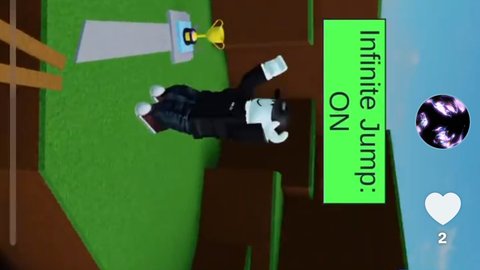
You can infinite jump, which makes you jump without a cooldown
local Players = game:GetService("Players")
local UserInputService = game:GetService("UserInputService")
local player = Players.LocalPlayer
local infiniteJump = false
-- GUI
local gui = Instance.new("ScreenGui")
gui.Name = "InfiniteJumpGui"
gui.ResetOnSpawn = false
gui.Parent = player:WaitForChild("PlayerGui")
-- Main Button
local button = Instance.new("TextButton")
button.Size = UDim2.new(0, 200, 0, 60)
button.Position = UDim2.new(0.5, -100, 0, 20) -- top center
button.Text = "Infinite Jump: OFF"
button.TextScaled = true
button.Font = Enum.Font.GothamBold
button.TextColor3 = Color3.fromRGB(255, 255, 255)
button.BackgroundTransparency = 0
button.BackgroundColor3 = Color3.fromRGB(255, 0, 150)
button.BorderSizePixel = 0
button.Parent = gui
-- Rounded corners
local corner = Instance.new("UICorner")
corner.CornerRadius = UDim.new(0, 15)
corner.Parent = button
-- Gradient
local gradient = Instance.new("UIGradient")
gradient.Color = ColorSequence.new{
ColorSequenceKeypoint.new(0, Color3.fromRGB(255, 0, 150)),
ColorSequenceKeypoint.new(1, Color3.fromRGB(255, 150, 0))
}
gradient.Rotation = 45
gradient.Parent = button
-- Shadow
local shadow = Instance.new("ImageLabel")
shadow.BackgroundTransparency = 1
shadow.Size = UDim2.new(1, 10, 1, 10)
shadow.Position = UDim2.new(0, -5, 0, -5)
shadow.Image = "rbxassetid://6014261999" -- shadow image
shadow.ImageColor3 = Color3.fromRGB(0, 0, 0)
Comments
0Log in to join the conversation. Login
No comments yet. Be the first!