
1.0k Views
349 Executions
INF STATS Open Source UI SnakesHUB
Universal Script 📌
SnakesHubFirst script
8 months ago
Please login to perform these actions:Does it work?
No reports yetNo reports yet. Tried it? Be the first to say.
Also noticed:
Description
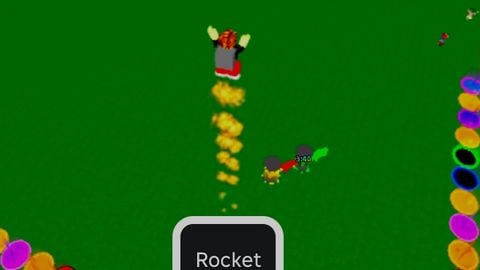
https://www.roblox.com/games/2248408710/Destruction-Simulator game for scripts - https://www.roblox.com/games/2248408710/Destruction-Simulator does whqt it says. inf stats using boosts how to use? read the text in the ui. SnakesHUB
local players = game:GetService("Players")
local replicatedStorage = game:GetService("ReplicatedStorage")
local generateBoost = replicatedStorage:WaitForChild("Remotes"):WaitForChild("generateBoost")

local player = players.LocalPlayer
local gui = Instance.new("ScreenGui")
gui.Name = "BoostUI"
gui.ResetOnSpawn = false
gui.Parent = player:WaitForChild("PlayerGui")

local frame = Instance.new("Frame")
frame.Size = UDim2.new(0, 320, 0, 280)
frame.Position = UDim2.new(0.5, -160, 0.5, -140)
frame.BackgroundColor3 = Color3.fromRGB(15,15,20)
frame.BorderSizePixel = 0
frame.Active = true
frame.Draggable = true
frame.Parent = gui

local uicorner = Instance.new("UICorner")
uicorner.CornerRadius = UDim.new(0,14)
uicorner.Parent = frame

local shadow = Instance.new("ImageLabel")
shadow.Size = UDim2.new(1, 40, 1, 40)
shadow.Position = UDim2.new(0, -20, 0, -20)
shadow.BackgroundTransparency = 1
shadow.Image = "rbxassetid://1316045217"
shadow.ImageColor3 = Color3.fromRGB(0,0,0)
shadow.ImageTransparency = 0.45
shadow.ScaleType = Enum.ScaleType.Slice
shadow.SliceCenter = Rect.new(10,10,118,118)
shadow.ZIndex = 0
shadow.Parent = frame

local titleBar = Instance.new("Frame")
titleBar.Size = UDim2.new(1, 0, 0, 35)
titleBar.BackgroundColor3 = Color3.fromRGB(25,25,35)
titleBar.BorderSizePixel = 0
titleBar.Parent = frame


https://scriptblox.com/script/Destruction-Simulator-INF-STATS-Open-Source-UI-49700