278 Views
5 Executions
Key System

Does it work?
No reports yetNo reports yet. Tried it? Be the first to say.
Also noticed:
Description
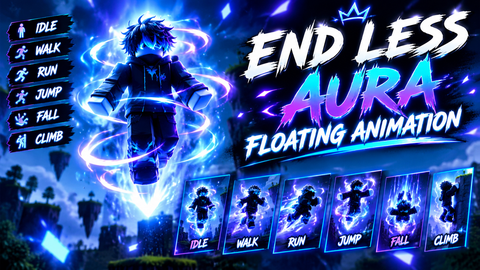
just fly with this shitty script
local player = game.Players.LocalPlayer
local UIS = game:GetService("UserInputService")
local RunService = game:GetService("RunService")

if player.PlayerGui:FindFirstChild("FloatMenu") then return end

-- GUI
local gui = Instance.new("ScreenGui")
gui.Name = "FloatMenu"
gui.ResetOnSpawn = false
gui.Parent = player:WaitForChild("PlayerGui")

-- KEY FRAME
local keyFrame = Instance.new("Frame", gui)
keyFrame.Size = UDim2.new(0,240,0,180)
keyFrame.Position = UDim2.new(0.5,-120,0.5,-90)
keyFrame.BackgroundColor3 = Color3.fromRGB(30,30,30)
keyFrame.Active = true
keyFrame.Draggable = true

local keyBox = Instance.new("TextBox", keyFrame)
keyBox.Size = UDim2.new(0.8,0,0,30)
keyBox.Position = UDim2.new(0.1,0,0.15,0)
keyBox.PlaceholderText = "Enter Key..."

local unlock = Instance.new("TextButton", keyFrame)
unlock.Size = UDim2.new(0.8,0,0,30)
unlock.Position = UDim2.new(0.1,0,0.4,0)
unlock.Text = "Unlock"

local getKey = Instance.new("TextButton", keyFrame)
getKey.Size = UDim2.new(0.8,0,0,30)
getKey.Position = UDim2.new(0.1,0,0.65,0)
getKey.Text = "Get Key"

getKey.MouseButton1Click:Connect(function()

	if setclipboard then
		setclipboard("https://jamon.dev/static/classic.html")
	end
Comments
0Log in to join the conversation. Login
No comments yet. Be the first!