6.8k Views
513 Executions
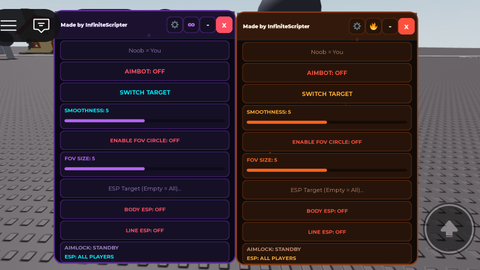
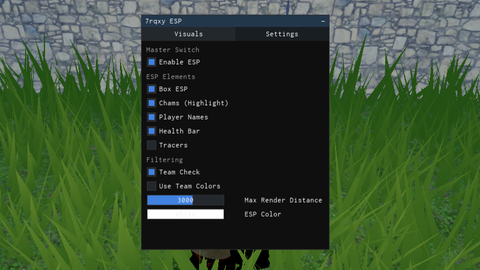
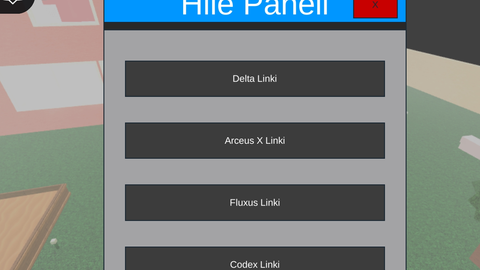
Hile paneli gui
Universal Script 📌
HackerTarhana31First script
2 years ago
Please login to perform these actions:Does it work?
No reports yetNo reports yet. Tried it? Be the first to say.
Also noticed:
Description
Bir tane tuşa tıkladığınız zaman aşağıya kaydırın oradan linki vericek ve kopyalayın işinize yarar.
local Players = game:GetService("Players")
local player = Players.LocalPlayer
local playerGui = player:FindFirstChild("PlayerGui")
local UserInputService = game:GetService("UserInputService")
local HttpService = game:GetService("HttpService")

-- GUI oluştur
local screenGui = Instance.new("ScreenGui")
screenGui.Parent = playerGui

-- Ana çerçeve
local frame = Instance.new("Frame")
frame.Size = UDim2.new(0, 350, 0, 400)
frame.Position = UDim2.new(0.5, -175, 0.5, -200)
frame.BackgroundColor3 = Color3.fromRGB(40, 40, 40)
frame.Parent = screenGui

-- Başlık
local titleLabel = Instance.new("TextLabel")
titleLabel.Size = UDim2.new(1, 0, 0, 40)
titleLabel.BackgroundColor3 = Color3.fromRGB(0, 150, 255)
titleLabel.TextColor3 = Color3.fromRGB(255, 255, 255)
titleLabel.TextScaled = true
titleLabel.Text = "Hile Paneli"
titleLabel.Parent = frame

-- Kapatma Butonu
local closeButton = Instance.new("TextButton")
closeButton.Size = UDim2.new(0, 50, 0, 30)
closeButton.Position = UDim2.new(1, -60, 0, 5)
closeButton.BackgroundColor3 = Color3.fromRGB(200, 0, 0)
closeButton.Text = "X"
closeButton.Parent = frame

-- Kaydırılabilir çerçeve
local scrollingFrame = Instance.new("ScrollingFrame")
scrollingFrame.Size = UDim2.new(1, 0, 1, -50)
scrollingFrame.Position = UDim2.new(0, 0, 0, 50)
scrollingFrame.CanvasSize = UDim2.new(0, 0, 1.8, 0)
scrollingFrame.ScrollBarThickness = 10
Comments
0Log in to join the conversation. Login
No comments yet. Be the first!