923 Views
242 Executions
Gui script version 1 dot 0
Universal Script 📌
Helloboy10K executions
1 year ago
Please login to perform these actions:Does it work?
No reports yetNo reports yet. Tried it? Be the first to say.
Also noticed:
Description
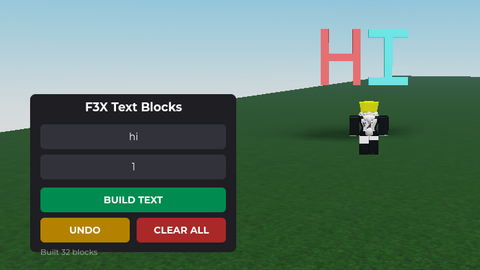
So this is a script thats not made by chatgpt like usually instead it's made by Grok a few features don't work like jump and fly sorry and fully client-side
-- Ultra Powerful Advanced GUI Script for Roblox Game (Client-Side)
-- This script is designed for use in your own Roblox game as a developer tool or admin panel.
-- It provides a customizable GUI with various features like player controls, teleportation,
-- speed/jump modifiers, ESP, and more. All features are client-side only and meant for
-- responsible use in testing or gameplay enhancement within your own game.
-- Compatible with PC and Mobile (uses ScreenGui with appropriate scaling).
-- Place this as a LocalScript in StarterPlayerScripts or StarterGui.

local Players = game:GetService("Players")
local UserInputService = game:GetService("UserInputService")
local TweenService = game:GetService("TweenService")
local RunService = game:GetService("RunService")
local Lighting = game:GetService("Lighting")
local ReplicatedStorage = game:GetService("ReplicatedStorage") -- If you have remotes, but keeping client-side
local LocalPlayer = Players.LocalPlayer
local Character = LocalPlayer.Character or LocalPlayer.CharacterAdded:Wait()
local Humanoid = Character:WaitForChild("Humanoid")
local Camera = workspace.CurrentCamera

-- GUI Setup
local ScreenGui = Instance.new("ScreenGui")
ScreenGui.Name = "UltraPowerGUI"
ScreenGui.Parent = LocalPlayer:WaitForChild("PlayerGui")
ScreenGui.ResetOnSpawn = false
ScreenGui.IgnoreGuiInset = true -- For full screen on mobile/PC

local MainFrame = Instance.new("Frame")
MainFrame.Size = UDim2.new(0.3, 0, 0.6, 0)
MainFrame.Position = UDim2.new(0.35, 0, 0.2, 0)
MainFrame.BackgroundColor3 = Color3.fromRGB(30, 30, 30)
MainFrame.BorderSizePixel = 0
MainFrame.Active = true
MainFrame.Draggable = true -- Draggable on PC, touch-drag on mobile
MainFrame.Parent = ScreenGui

local UIGradient = Instance.new("UIGradient")
UIGradient.Color = ColorSequence.new{
    ColorSequenceKeypoint.new(0, Color3.fromRGB(50, 50, 50)),
    ColorSequenceKeypoint.new(1, Color3.fromRGB(20, 20, 20))
}
Comments
0Log in to join the conversation. Login
No comments yet. Be the first!