32.1k Views
3.9k Executions
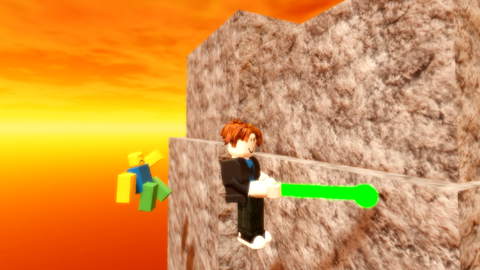
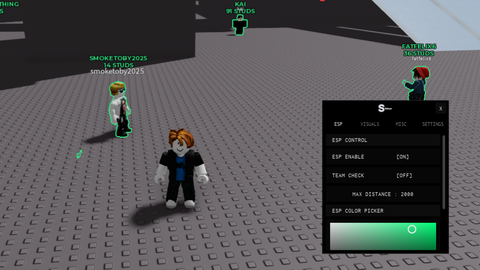
Gojos BACKSHOTS
Universal Script 📌
Localplayer123First script
2 years ago
Please login to perform these actions:Does it work?
No reports yetNo reports yet. Tried it? Be the first to say.
Also noticed:
Description
Gojos BACKSHOTS lol made by Usiscalabap & Peppin_o
Updates
Script edited: Create script
local Players = game:GetService("Players")
local UIS = game:GetService("UserInputService")
local RunService = game:GetService("RunService")

game.StarterGui:SetCore("ChatMakeSystemMessage", {
    Text = "made by Peppin_o & Usiscalabap";
    Color = Color3.fromRGB(255, 0, 0);
    Font = Enum.Font.SourceSansBold;
    TextSize = 24;
})

local gui = Instance.new("ScreenGui")
gui.Name = "gojosBACKSHOTS"
gui.Parent = game:GetService("Players").LocalPlayer:WaitForChild("PlayerGui")

local frame = Instance.new("Frame", gui)
frame.Size = UDim2.new(0, 350, 0, 250)
frame.Position = UDim2.new(0.5, -175, 0.5, -125)
frame.BackgroundColor3 = Color3.new(0.15, 0.15, 0.15)
frame.BorderColor3 = Color3.new(1, 0, 0)
frame.BorderSizePixel = 3
frame.Draggable = true
frame.Active = true

local title = Instance.new("TextLabel", frame)
title.Text = "Gojos BACKSHOTS"
title.Size = UDim2.new(1, 0, 0, 40)
title.Position = UDim2.new(0, 0, 0, 0)
title.BackgroundColor3 = Color3.new(0.1, 0.1, 0.1)
title.TextColor3 = Color3.new(1, 0, 0)
title.Font = Enum.Font.SourceSansBold
title.TextScaled = true

local textBox = Instance.new("TextBox", frame)
textBox.PlaceholderText = "Enter username/display name"
textBox.Size = UDim2.new(1, -20, 0, 30)
textBox.Position = UDim2.new(0, 10, 0, 50)
textBox.BackgroundColor3 = Color3.new(0.1, 0.1, 0.1)
textBox.TextColor3 = Color3.new(1, 1, 1)
textBox.Font = Enum.Font.SourceSans


how to use?
wheres the script bruh
Fe and also you need to Delete The Textbot writed on the script and put somebody's name or display name
FE?
don't work