
5.7k Views
200 Executions
Fun v4 Hub
Universal Script 📌
mariasolitoery27First script
2 years ago
Please login to perform these actions:Does it work?
No reports yetNo reports yet. Tried it? Be the first to say.
Also noticed:
Description
5+ good
-- Fun V4 Hub Script with Open/Close, Actions, Draggable Feature
local Player = game.Players.LocalPlayer
local ScreenGui = Instance.new("ScreenGui")
ScreenGui.Parent = Player:WaitForChild("PlayerGui")

-- Create the Hub Menu Frame
local hubFrame = Instance.new("Frame")
hubFrame.Size = UDim2.new(0.5, 0, 0.5, 0)
hubFrame.Position = UDim2.new(0.25, 0, 0.25, 0)
hubFrame.BackgroundColor3 = Color3.fromRGB(0, 0, 0)
hubFrame.BackgroundTransparency = 0.5
hubFrame.Visible = false  -- Start with the hub hidden
hubFrame.Parent = ScreenGui

-- Create title text
local titleLabel = Instance.new("TextLabel")
titleLabel.Size = UDim2.new(1, 0, 0.2, 0)
titleLabel.Text = "Fun V4 Hub"
titleLabel.TextColor3 = Color3.fromRGB(255, 255, 255)
titleLabel.TextSize = 24
titleLabel.BackgroundTransparency = 1
titleLabel.Parent = hubFrame

-- Button: Speed
local speedButton = Instance.new("TextButton")
speedButton.Size = UDim2.new(0.8, 0, 0.1, 0)
speedButton.Position = UDim2.new(0.1, 0, 0.3, 0)
speedButton.Text = "Speed Boost"
speedButton.BackgroundColor3 = Color3.fromRGB(0, 128, 0)
speedButton.TextColor3 = Color3.fromRGB(255, 255, 255)
speedButton.Parent = hubFrame

-- Button: Fly
local flyButton = Instance.new("TextButton")
flyButton.Size = UDim2.new(0.8, 0, 0.1, 0)
flyButton.Position = UDim2.new(0.1, 0, 0.45, 0)
flyButton.Text = "Fly"
flyButton.BackgroundColor3 = Color3.fromRGB(0, 0, 128)
flyButton.TextColor3 = Color3.fromRGB(255, 255, 255)
flyButton.Parent = hubFrame



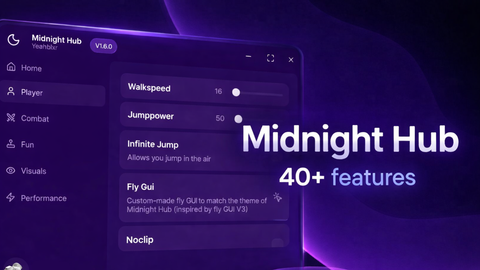

This script is Quite good
It's took me 4 hours
made with chat gpt
Fun v4 Hub is not recommended. The features are too simple, for example, the fly just teleports you upwards. The hub itself is also poorly designed. Simply not worth recommending.