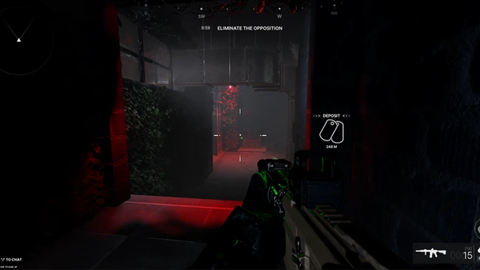
Frontlines And TTK Testing
Script hub
Does it work?
No reports yetNo reports yet. Tried it? Be the first to say.
Description
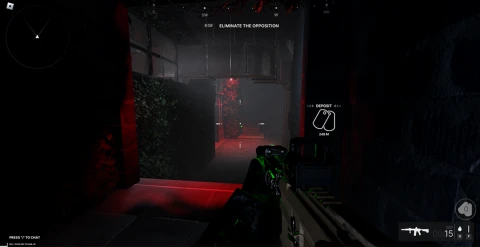
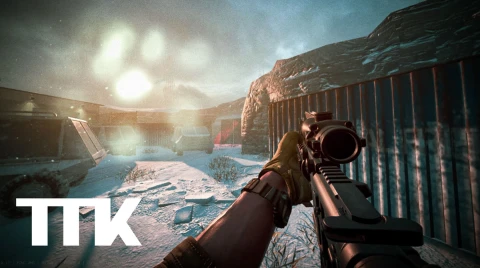
Frontlines Features Visuals - Player ESP Box ESP (Off / 2D Box / 2D Corner / 3D Box) Box Thickness Name Name Mode (Display Name / Username) Distance Health Bar Health Bar Text Health Bar Gradient Held Item Team Colors Hide Teammates Dead Check Max Distance Kills Level Skeleton Snapline Snapline Origin (Bottom / Top / Mouse) Off-Screen Arrows View Cone ESP Colors (Enemy, Friendly, Distance, Dead, Health, Stats, Skeleton, Snapline, Off-Screen Arrow, View Cone) ESP Outlines (Box, Name, Distance, Health Bar, Held Item, Kills/Level, Skeleton) Throwable ESP Grenade ESP Knife ESP Grenade Color Knife Color Tracers Enabled Rainbow Fade Out Impact Marks Thickness Speed Color Grenade Helper Enabled Pre-Throw Preview Color Mode (Solid / Rainbow / Rainbow Static / Pulsing / Gradient) Line Style (Solid / Dotted / Dashed / Fading / Fading Reverse) Trail Color Impact Color Combat - Silent Aim Enabled FOV Hit Chance Show FOV Ring FOV Ring Color Hitbox (Head / Upper Torso / Lower Torso / Torso) Combat - Aimbot Enabled Key Rebind Activation (Always On / Hold / Toggle) FOV Smoothness Show FOV Ring FOV Ring Color Hitbox (Head / Upper Torso / Lower Torso / Torso) World - Player Chams Enabled Material (Neon / Glass / ForceField / SmoothPlastic) Rainbow Enemy Color / Friendly Color World - Viewmodel & Gun Viewmodel Chams (Enabled, Material, Rainbow, Color) Gun Chams (Enabled, Material, Rainbow, Color Override, Gun Color, Outline, Outline Color) World Chams Enabled Mode (Fade / Solid / Wireframe / Edges Only / Ghost Glow / Pulsing) Range Transparency % Material (Glass / Neon / ForceField / SmoothPlastic) Color Override and Color World - Lighting No Fog Bright Lighting No Atmosphere No Depth of Field No Damage Blur Night Vision and Night Vision Tint Thermal Vision and Thermal Tint World - Performance Performance Mode Weapon (Exploit) No Spread No Recoil No Sway Instant ADS Rapid Fire and Fire Rate Multiplier Extended Range Extended Melee and Melee Multiplier FOV Custom FOV FOV Value Audio Hit Sound and Hit Volume Death Sound and Death Volume Hit Effect and Hit Effect Style (Crosshair / Pulse) and Hit Effect Color Replace My Death Sound and My Death Sound Volume Crosshair Enabled Hide Native Crosshair Style (Cross / Plus / X) Animation (Static / Pulse / Spin / Breathing / Recoil Kick) Size Thickness Gap Opacity % Outline Rainbow Center Dot + Dot Size Color / Outline Color Settings - Radar Radar Image (dynamic dropdown) Refresh Images Settings - Configurations Config Name Select Config Refresh Configs / Create / Save / Delete Settings - Interface Executor Info Accent Color Unload Settings - Performance Unlock FPS TTK Testing Features 2D Box Name Distance Health Tracer Skeleton Visible Check Offscreen Arrows Player Chams/Materials Weapon Chams/Materials Silent Aim Silent Aim Fov Silent Aim Part (Head etc) No Spread No Recoil No Camera Shake Infinite Ammo Infinite Reserve Ammo No Reload Rapid Fire Force Full Auto Instant ADS No Sway Instant Hit Infinite Throwables
Supported games 2
FRONTLINES
All scriptsNo features listed for this game yet.

![[SEASON 5] Operations: Siege](/images/script/13997018456-1793840732968.png)
![[🎃] Bloodlines](/images/script/5571328985-1793839522054.png)