22 Views
0 Executions
Fly gui V1 Mobile
Universal Script 📌
4 days ago · Updated
Reviewed by MatttsPaid revieweron How review works
Does it work?
No reports yetNo reports yet. Tried it? Be the first to say.
Also noticed:
Description
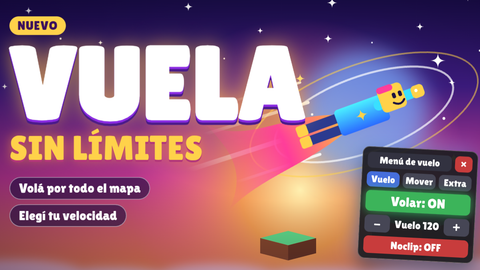
This script lets you fly in Roblox.
local Players = game:GetService("Players")
local RunService = game:GetService("RunService")
local UserInputService = game:GetService("UserInputService")
local Lighting = game:GetService("Lighting")

local player = Players.LocalPlayer
local playerGui = player:WaitForChild("PlayerGui")

-- Elimina copias viejas del menú
local viejo = playerGui:FindFirstChild("VolarGui")
if viejo then viejo:Destroy() end

-- ========= AJUSTES =========
local VEL_MIN, VEL_MAX = 10, 500
local ajustes = { velVuelo = 60, caminar = 16, salto = 50, fov = 70 }
local tocado = { caminar = false, salto = false }
local POS_PANEL = UDim2.new(0, 70, 0.5, -140)
local POS_BOTON = UDim2.new(0, 10, 0.5, -24)

-- ========= ESTADO =========
local volando, noclip, saltoInfinito = false, false, false
local subiendo, bajando = false, false
local velActual = Vector3.zero
local conexionVuelo, linearVel, alignOri, attachment
local posGuardada = nil
local gravedadOriginal = workspace.Gravity
local luzOriginal = {
	Brightness = Lighting.Brightness, ClockTime = Lighting.ClockTime,
	FogEnd = Lighting.FogEnd, Ambient = Lighting.Ambient,
	GlobalShadows = Lighting.GlobalShadows,
}

local function getPersonaje()
	local c = player.Character
	local h = c and c:FindFirstChildOfClass("Humanoid")
	local r = c and c:FindFirstChild("HumanoidRootPart")
	return c, h, r
end

local function esPuntero(input)
Comments
0Log in to join the conversation. Login
No comments yet. Be the first!