17 Views
1 Executions
Fly Script keyless
Universal Script 📌
1 day ago · Updated
Reviewed by MatttsPaid revieweron How review works
Does it work?
No reports yetNo reports yet. Tried it? Be the first to say.
Also noticed:
Description
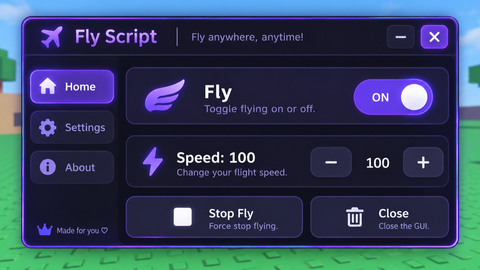
This is a fly script that works and is keyless
local Players = game:GetService("Players")
local UIS = game:GetService("UserInputService")
local RunService = game:GetService("RunService")

local player = Players.LocalPlayer
local speed = 50
local flying = false

local gui = Instance.new("ScreenGui")
gui.Name = "ModernFlyGUI"
gui.ResetOnSpawn = false
gui.Parent = player:WaitForChild("PlayerGui")

local frame = Instance.new("Frame")
frame.Size = UDim2.fromOffset(280, 245)
frame.Position = UDim2.new(0.5, -140, 0.5, -122)
frame.BackgroundColor3 = Color3.fromRGB(19, 20, 30)
frame.Parent = gui

Instance.new("UICorner", frame).CornerRadius = UDim.new(0, 14)

local stroke = Instance.new("UIStroke", frame)
stroke.Color = Color3.fromRGB(100, 80, 255)
stroke.Thickness = 2

-- DRAGGING
local dragging = false
local dragStart, startPos

local topbar = Instance.new("Frame")
topbar.Size = UDim2.new(1, 0, 0, 45)
topbar.BackgroundColor3 = Color3.fromRGB(30, 31, 48)
topbar.Parent = frame
Instance.new("UICorner", topbar).CornerRadius = UDim.new(0, 14)

local title = Instance.new("TextLabel")
title.Size = UDim2.new(1, -60, 1, 0)
title.Position = UDim2.fromOffset(15, 0)
title.BackgroundTransparency = 1
title.Text = "✈  FLY CONTROL"
Comments
0Log in to join the conversation. Login
No comments yet. Be the first!