3.0k Views
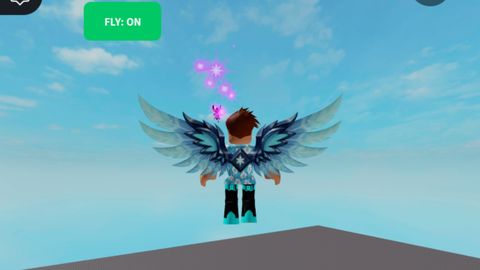
MY OWN FLY GUI
Universal Script ๐Uploaded by 4 months ago
Please login to perform these actions:
Description
Fly
Comments
1

Offline
De*927 1 month ago
I've improved your script.
local ScreenGui = Instance.new("ScreenGui", game:GetService("CoreGui"))
local MainFrame = Instance.new("Frame", ScreenGui)
local FlyBtn = Instance.new("TextButton", MainFrame)
local SpeedBox = Instance.new("TextBox", MainFrame)
local PlusBtn = Instance.new("TextButton", MainFrame)
local MinusBtn = Instance.new("TextButton", MainFrame)
local UICorner = Instance.new("UICorner", FlyBtn)
local UICorner2 = Instance.new("UICorner", MainFrame)
MainFrame.Name = "FlyGui"
MainFrame.Size = UDim2.new(0, 150, 0, 100)
MainFrame.Position = UDim2.new(0.05, 0, 0.45, 0)
MainFrame.BackgroundColor3 = Color3.fromRGB(25, 25, 25)
MainFrame.Active = true
MainFrame.Draggable = true
FlyBtn.Name = "FlyBtn"
FlyBtn.Size = UDim2.new(0, 130, 0, 35)
FlyBtn.Position = UDim2.new(0, 10, 0, 10)
FlyBtn.Text = "FLY: OFF"
FlyBtn.BackgroundColor3 = Color3.fromRGB(45, 45, 45)
FlyBtn.TextColor3 = Color3.fromRGB(255, 255, 255)
FlyBtn.Font = Enum.Font.SourceSansBold
FlyBtn.TextSize = 16
UICorner.CornerRadius = UDim.new(0, 6)
UICorner2.CornerRadius = UDim.new(0, 8)
SpeedBox.Name = "SpeedBox"
SpeedBox.Size = UDim2.new(0, 60, 0, 30)
SpeedBox.Position = UDim2.new(0, 45, 0, 55)
SpeedBox.Text = "70"
SpeedBox.BackgroundColor3 = Color3.fromRGB(40, 40, 40)
SpeedBox.TextColor3 = Color3.fromRGB(255, 255, 255)
SpeedBox.Font = Enum.Font.SourceSansBold
SpeedBox.TextSize = 14
PlusBtn.Name = "PlusBtn"
PlusBtn.Size = UDim2.new(0, 30, 0, 30)
PlusBtn.Position = UDim2.new(0, 110, 0, 55)
PlusBtn.Text = "+"
PlusBtn.BackgroundColor3 = Color3.fromRGB(50, 50, 50)
PlusBtn.TextColor3 = Color3.fromRGB(255, 255, 255)
PlusBtn.Font = Enum.Font.SourceSansBold
MinusBtn.Name = "MinusBtn"
MinusBtn.Size = UDim2.new(0, 30, 0, 30)
MinusBtn.Position = UDim2.new(0, 10, 0, 55)
MinusBtn.Text = "-"
MinusBtn.BackgroundColor
Simple ESP