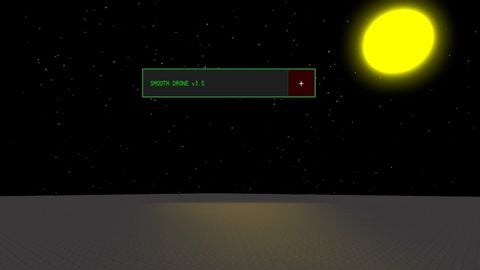
Flashlight
Universal Script 📌
Description
🛰️ Smooth Drone V3.4: Immortal Follower Smooth Drone V3.4 is a high-performance utility script for Roblox, designed to provide players with a sleek, neon-themed companion drone. Unlike standard drone scripts that fly in circles, this version focuses on precision following and utility lighting, ensuring your path is always illuminated with style. 📜 Features & Usage Intelligent Follow System: The drone stays locked in a fixed position relative to your character (front-right), providing steady lighting without the "spinning" dizziness. Immortal Re-Spawn Logic: Built-in safety checks automatically recreate the drone if it is destroyed or falls out of the world. Dynamic UI Console: A draggable and minimizable neon interface allows you to toggle lights and switch colors on the fly. Rainbow Mode: Activate a cycling RGB effect for both the drone's body and its spotlight. ✅ Pros (Advantages) Smooth Motion: Uses Lerp (Linear Interpolation) to ensure the drone follows the player with a cinematic, fluid movement rather than snapping instantly. Camera-Linked Lighting: The spotlight is synchronized with your camera’s LookVector, meaning the drone always shines light exactly where you are looking. Exploit-Ready UI: The GUI is set to ResetOnSpawn = false, ensuring your controls don't disappear when your character resets. Physics Stability: By using Anchored = true and manual CFrame updates, the drone avoids glitchy physics collisions that often cause objects to "fling" away. ❌ Cons (Disadvantages) Client-Side Only: Since this is a LocalScript, other players in the server cannot see your drone or its light; it is for your local experience only. Manual Color Selection: Currently requires manual clicking to change colors (Green, Red, Blue) rather than a full RGB color picker. Potential Performance Impact: Because it updates every frame via RenderStepped, users on very low-end mobile devices might experience a slight frame drop if combined with many other heavy scripts. 🚀 How to Use Copy the provided Lua code. Paste it into your preferred script executor (e.g., Hydrogen, Delta, or Fluxus). Execute the script. Use the Title Bar to drag the menu and the "_" button to hide the controls.



 Axonic Hub | 30 + Games
Theres a bug where selecting rainbow will be permanent and cannot revert