373 Views
597 Executions
Fixed Camera
Universal Script 📌
Luigi71First script
4 months ago
Please login to perform these actions:Does it work?
No reports yetNo reports yet. Tried it? Be the first to say.
Also noticed:
Description
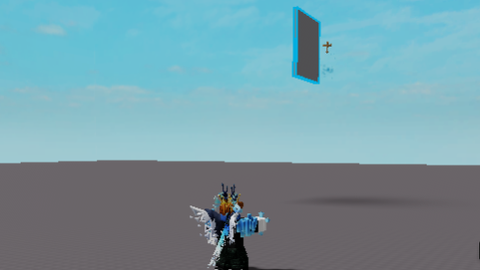
It’s simply a fixed camera with toggleable (on and off) options (Note: this script is made with bad clanker AI and decided to modify it since it was trash)
loadstring([[
local player = game.Players.LocalPlayer
local camera = workspace.CurrentCamera
local uis = game:GetService("UserInputService")
local runService = game:GetService("RunService")

local fixedEnabled = false
local connection = nil
local frozenCFrame = nil

-- GUI
local screenGui = Instance.new("ScreenGui")
screenGui.Name = "FixedCameraGUI"
screenGui.ResetOnSpawn = false
screenGui.Parent = player:WaitForChild("PlayerGui")

local textLabel = Instance.new("TextLabel")
textLabel.Size = UDim2.new(0, 200, 0, 40)
textLabel.Position = UDim2.new(1, -205, 1, -35)
textLabel.BackgroundTransparency = 1
textLabel.Text = "Fixed Camera: OFF"
textLabel.TextColor3 = Color3.new(1, 1, 1)
textLabel.TextScaled = true
textLabel.Font = Enum.Font.GothamBold
textLabel.TextStrokeTransparency = 0
textLabel.TextStrokeColor3 = Color3.new(0, 0, 0)
textLabel.Parent = screenGui

local function toggleFixedCamera()
    fixedEnabled = not fixedEnabled
    if fixedEnabled then
        textLabel.Text = "Fixed Camera: ON"
        frozenCFrame = camera.CFrame  -- Capture current camera position/rotation
        camera.CameraType = Enum.CameraType.Scriptable

        if connection then connection:Disconnect() end
        connection = runService.RenderStepped:Connect(function()
            if frozenCFrame then
                camera.CFrame = frozenCFrame
            end
Comments
0Log in to join the conversation. Login
No comments yet. Be the first!