
27.2k Views
334 Executions
Fake lag
Universal Script 📌
luceliadossantossilFirst script
1 year ago
Please login to perform these actions:Does it work?
No reports yetNo reports yet. Tried it? Be the first to say.
Also noticed:
Description
Script simples para dar impressão de travando fake lag
Updates
Script edited: Update script
Script edited: Update script
-- Início do Script de Simulação de Lag (com FPS "baixo" simulado)
local Players = game:GetService("Players")
local UserInputService = game:GetService("UserInputService")
local RunService = game:GetService("RunService")

local Player = Players.LocalPlayer
local Character = Player.Character or Player.CharacterAdded:Wait()
local Humanoid = Character:WaitForChild("Humanoid")

-- Ajustei os valores para permitir uma lentidão MUITO maior, simulando travamento
local MIN_SLOWDOWN = 0.01 -- Quase normal, mas ainda com um toque de lentidão
local MAX_SLOWDOWN = 500 -- Valor máximo de lentidão (o personagem ficará quase parado)
local currentSlowdown = 1 -- Valor inicial de lentidão (1 = normal, valores maiores = mais lento/travado)

-- Função para aplicar a lentidão e o "travamento" simulado
local function applySlowdown()
    -- Quanto maior o currentSlowdown, menor a WalkSpeed (velocidade de caminhada)
    Humanoid.WalkSpeed = 16 / currentSlowdown
    -- Quanto maior o currentSlowdown, menor a JumpPower (força do pulo)
    Humanoid.JumpPower = 50 / currentSlowdown

    -- Para simular ainda mais o "travamento", podemos adicionar uma pequena pausa
    -- entre as atualizações do personagem, mas isso pode ser instável.
    -- Por enquanto, vamos focar nos atributos WalkSpeed e JumpPower.
end

-- Criar o ScreenGui
local ScreenGui = Instance.new("ScreenGui")
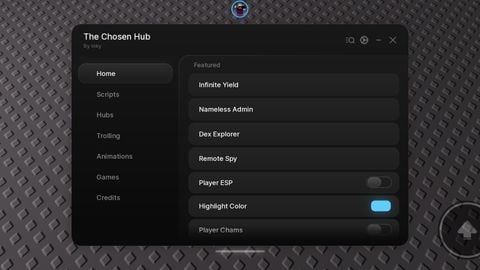
ScreenGui.Name = "FakeLagHub"
ScreenGui.Parent = Player:WaitForChild("PlayerGui")

-- Criar o Frame do Hub
local HubFrame = Instance.new("Frame")
HubFrame.Name = "HubFrame"
HubFrame.Size = UDim2.new(0, 200, 0, 70)
HubFrame.Position = UDim2.new(1, -210, 1, -80) -- Canto inferior direito (ajuste conforme necessário para o canto inferior)
HubFrame.BackgroundColor3 = Color3.fromRGB(40, 40, 40)
HubFrame.BorderSizePixel = 1
HubFrame.BorderColor3 = Color3.fromRGB(60, 60, 60)
HubFrame.Draggable = true -- Torna o frame arrastável


dados e créditos: chatgpt