208 Views
1.2k Executions
Does it work?
No reports yetNo reports yet. Tried it? Be the first to say.
Also noticed:
Description
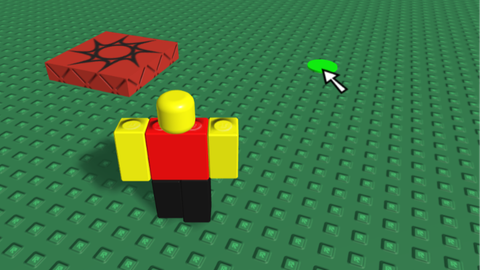
this script has all the machanics the roblox mouse cursor had beetween 2008 and 2014, click to move mechanic included, this script also supports mobile, where the mouse won't show and the click to move mechanic only works with a one click where there are no uis and the player is standing still, fully working on all devices! :P
local Players = game:GetService("Players")
local UserInputService = game:GetService("UserInputService")
local RunService = game:GetService("RunService")
local TweenService = game:GetService("TweenService")
local CoreGui = game:GetService("CoreGui")
local GuiService = game:GetService("GuiService")
local Workspace = game:GetService("Workspace")

local LocalPlayer = Players.LocalPlayer
local PlayerGui = LocalPlayer:WaitForChild("PlayerGui", 5)

-- Clean up any existing custom cursors to avoid duplicates
if CoreGui:FindFirstChild("Cursor") then
	CoreGui.Cursor:Destroy()
end

-- State tracking
local isEscMenuOpen = false
local originalCursorImage = nil
local outOfRangeTexture = "rbxassetid://113797540507637"

-- Load and clone the authentic custom GUI cursor asset
local success, assets = pcall(function()
	return game:GetObjects("rbxassetid://17895536995")
end)

if success and assets and assets[1] then
	local eazywin = assets[1]:Clone()

	-- Clean up configuration and match requested specifications
	if eazywin:FindFirstChild("LocalScript") then
		eazywin.LocalScript:Destroy()
	end

	eazywin.DisplayOrder = 1999999999
	eazywin.IgnoreGuiInset = true
	eazywin.Y.Value = 6
	eazywin.Parent = CoreGui

	local imageLabel = eazywin:FindFirstChild("ImageLabel")
Comments
0Log in to join the conversation. Login
No comments yet. Be the first!