20 Views
5 Executions
FPS changer/HZ Changer
Universal Script 📌
5 hours ago
Reviewed by QueueMatttsPaid revieweron How review works
Does it work?
No reports yetNo reports yet. Tried it? Be the first to say.
Also noticed:
Description
You must set ur phone's hz to 120 and also disable default frame rate for games which can be found in Developer options by clicking your build number 7 times.
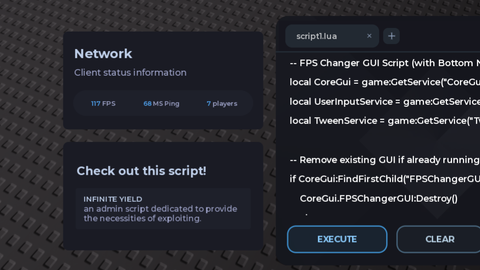
-- FPS Changer GUI Script (with Bottom Notification Banner)
local CoreGui = game:GetService("CoreGui")
local UserInputService = game:GetService("UserInputService")
local TweenService = game:GetService("TweenService")

-- Remove existing GUI if already running
if CoreGui:FindFirstChild("FPSChangerGUI") then
    CoreGui.FPSChangerGUI:Destroy()
end

local ScreenGui = Instance.new("ScreenGui")
ScreenGui.Name = "FPSChangerGUI"
ScreenGui.ResetOnSpawn = false
ScreenGui.Parent = CoreGui

-- Main Window
local MainFrame = Instance.new("Frame")
MainFrame.Name = "MainFrame"
MainFrame.Size = UDim2.new(0, 220, 0, 140)
MainFrame.Position = UDim2.new(0.5, -110, 0.5, -70)
MainFrame.BackgroundColor3 = Color3.fromRGB(35, 35, 35)
MainFrame.BorderSizePixel = 0
MainFrame.ClipsDescendants = true
MainFrame.Parent = ScreenGui

local UICorner = Instance.new("UICorner")
UICorner.CornerRadius = UDim.new(0, 8)
UICorner.Parent = MainFrame

-- Title Bar
local Title = Instance.new("TextLabel")
Title.Size = UDim2.new(1, -35, 0, 30)
Title.Position = UDim2.new(0, 10, 0, 0)
Title.BackgroundTransparency = 1
Title.Text = "FPS Changer"
Title.TextColor3 = Color3.fromRGB(255, 255, 255)
Title.TextSize = 16
Title.Font = Enum.Font.SourceSansBold
Title.TextXAlignment = Enum.TextXAlignment.Left
Title.Parent = MainFrame
Comments
0Log in to join the conversation. Login
No comments yet. Be the first!