2.6k Views
4.8k Executions
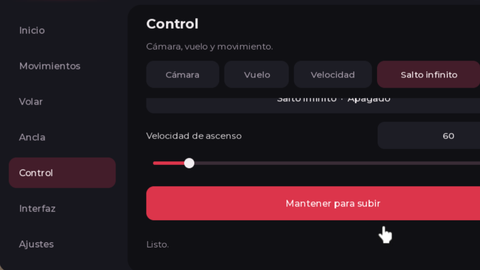
FE Spin GUI
Universal Script 📌
ddorredorePublished 10
7 months ago
Please login to perform these actions:Does it work?
No reports yetNo reports yet. Tried it? Be the first to say.
Also noticed:
Description
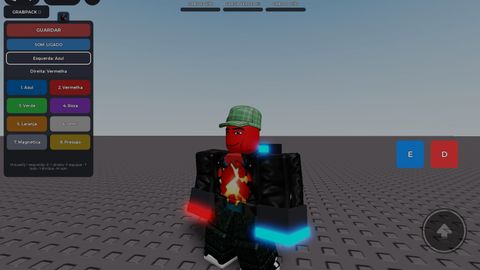
-- Simple Mobile-Friendly Spin GUI -- Open Source | Credit: Me -- Features: -- • Spin your character on X, Y, or Z axis -- • Adjustable speed & direction -- • Mobile & PC draggable GUI -- • Toggle spin on/off -- • Minimal & user-friendly design -- Usage: Place this LocalScript in StarterPlayerScripts or StarterGui
--// Simple Mobile-Friendly Spin GUI
--// Put this LocalScript in StarterPlayerScripts or StarterGui

local Players = game:GetService("Players")
local RunService = game:GetService("RunService")
local UserInputService = game:GetService("UserInputService")

local player = Players.LocalPlayer
local character = player.Character or player.CharacterAdded:Wait()
local humanoidRootPart = character:WaitForChild("HumanoidRootPart")

--========================
-- EDIT HERE
--========================
local spinSpeed = 10                -- default spin speed
local spinButtonText = "Spin"       -- main button name
local guiTitle = "Spin GUI"         -- gui title
local smallButtonText = "Open"      -- hidden button text
local defaultDirection = 1          -- 1 = clockwise, -1 = counterclockwise
local defaultAxis = "Y"             -- Y, X, or Z
--========================

local spinning = false
local spinConnection

local spinDirection = defaultDirection
local spinAxis = defaultAxis

local screenGui = Instance.new("ScreenGui")
screenGui.Name = "SpinGui"
screenGui.ResetOnSpawn = false
screenGui.Parent = player:WaitForChild("PlayerGui")

local mainFrame = Instance.new("Frame")
mainFrame.Size = UDim2.new(0, 270, 0, 260)
mainFrame.Position = UDim2.new(0.5, -135, 0.5, -130)
mainFrame.BackgroundColor3 = Color3.fromRGB(25, 25, 25)
mainFrame.BorderSizePixel = 0
mainFrame.Active = true
mainFrame.Parent = screenGui
Comments
0Log in to join the conversation. Login
No comments yet. Be the first!