
1.7k Views
328 Executions
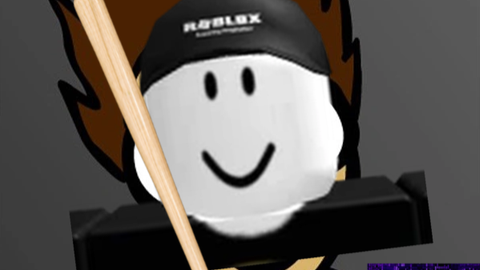
Evil Guy Gui
Universal Script 📌
SirTomOfficialFirst script
5 months ago
Please login to perform these actions:Does it work?
No reports yetNo reports yet. Tried it? Be the first to say.
Also noticed:
Description
Evil Guy Gui Script For Fun!
-- EVIL GUY GUI - Custom c00lgui style
-- Place as LocalScript in StarterPlayerScripts

local Players = game:GetService("Players")
local TweenService = game:GetService("TweenService")
local UserInputService = game:GetService("UserInputService")
local RunService = game:GetService("RunService")

local player = Players.LocalPlayer
local evilUserId =  (function() -- Replace with actual ID if known; fallback
    local success, id = pcall(function() return Players:GetUserIdFromNameAsync("evilguy66696") end)
    return success and id or 11188252947 -- placeholder; update with real ID
end)()

-- Find/derive evilguy66696 profile image (common way: use a known decal/image asset)
local EVIL_DECAL_ID = "rbxthumb://type=AvatarHeadShot&id=11188252947&w=420&h=420"  -- e.g., something like 1234567890; test in Studio

local screenGui = Instance.new("ScreenGui")
screenGui.Name = "EvilGuyGUI"
screenGui.ResetOnSpawn = false
screenGui.Parent = player:WaitForChild("PlayerGui")

local mainFrame = Instance.new("Frame")
mainFrame.Size = UDim2.new(0, 400, 0, 500)
mainFrame.Position = UDim2.new(0.5, -200, 0.5, -250)
mainFrame.BackgroundColor3 = Color3.fromRGB(20, 20, 20)
mainFrame.BorderSizePixel = 0
mainFrame.Parent = screenGui

-- Dark blue outline
local uiStroke = Instance.new("UIStroke")
uiStroke.Color = Color3.fromRGB(0, 0, 139)  -- Dark blue
uiStroke.Thickness = 4
uiStroke.Parent = mainFrame

local title = Instance.new("TextLabel")
title.Size = UDim2.new(1, 0, 0, 50)
title.BackgroundColor3 = Color3.fromRGB(10, 10, 10)
title.Text = "EVIL GUY GUI"
title.TextColor3 = Color3.fromRGB(255, 0, 0)

Ai
@Qwerty019242 че
@v6280148 ии кароче