1.1k Views
14 Executions
Does it work?
No reports yetNo reports yet. Tried it? Be the first to say.
Also noticed:
Description
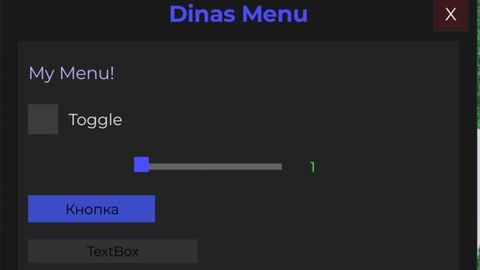
First Menu By Dinas You can upgrade this Also Have Key Panel
local VALID_KEY = "12345" -- Ключ для проверки

local player = game.Players.LocalPlayer
local TweenService = game:GetService("TweenService")
local UserInputService = game:GetService("UserInputService")

-- Главное GUI
local screenGui = Instance.new("ScreenGui")
screenGui.Name = "DinasMenu"
screenGui.Parent = player:WaitForChild("PlayerGui")

-- Ключ-меню
local keyFrame = Instance.new("Frame", screenGui)
keyFrame.Size = UDim2.new(0, 300, 0, 120)
keyFrame.Position = UDim2.new(0.5, -150, 0.5, -60)
keyFrame.AnchorPoint = Vector2.new(0.5,0.5)
keyFrame.BackgroundColor3 = Color3.fromRGB(30,30,30)

local keyLabel = Instance.new("TextLabel", keyFrame)
keyLabel.Size = UDim2.new(1,0,0.3,0)
keyLabel.Position = UDim2.new(0,0,0,0)
keyLabel.Text = "Enter Key:"
keyLabel.BackgroundTransparency = 1
keyLabel.TextColor3 = Color3.fromRGB(255,255,255)
keyLabel.Font = Enum.Font.Gotham
keyLabel.TextSize = 20

local keyBox = Instance.new("TextBox", keyFrame)
keyBox.Size = UDim2.new(0.8,0,0.3,0)
keyBox.Position = UDim2.new(0.1,0,0.35,0)
keyBox.BackgroundColor3 = Color3.fromRGB(40,40,40)
keyBox.TextColor3 = Color3.fromRGB(255,255,255)
keyBox.Font = Enum.Font.Gotham
keyBox.TextSize = 18
keyBox.PlaceholderText = "Your Key:"

local enterButton = Instance.new("TextButton", keyFrame)
enterButton.Size = UDim2.new(0.6,0,0.2,0)
enterButton.Position = UDim2.new(0.2,0,0.7,0)
enterButton.BackgroundColor3 = Color3.fromRGB(50,50,120)

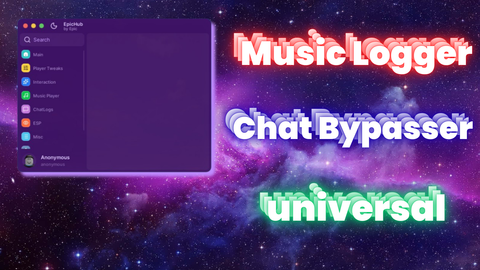
horrible chatgpt ui
cool
Generate from ai Генерировать с помощью ИИ :1
obvious chatgpt slop
10/10 nice