Does it work?
No reports yetNo reports yet. Tried it? Be the first to say.
Description
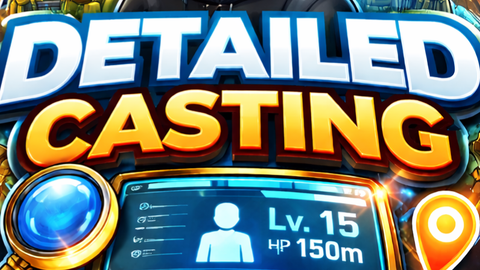
The DetailedCasting_PlayerHeadInfo script is an elite, highly optimized Roblox LocalScript engineered to serve as a comprehensive real-time player telemetry system. Upon execution, it dynamically generates a sleek, visually scaling BillboardGui anchored to every other player's head in the server, providing a live, continuous data feed of their in-game status. This powerful visualizer extracts an unprecedented level of metadata, seamlessly blending static identity details—such as display names, account ages, user IDs, and premium membership statuses—with highly volatile, live-action metrics. These real-time metrics track spatial distance from the local player, precise health values, active movement speeds, jump power statistics, currently equipped tools, in-game wealth, and even the live physical state of the player's humanoid, detecting whether they are running, falling, or seated. To ensure maximum user control and screen clarity, the script automatically mounts an Obsidian-themed graphical toggle button to the local player's screen, allowing them to instantly hide or reveal the entire data network on the fly. Under the hood, the architecture utilizes asynchronous coroutines and intelligent state-checking to constantly poll this information without throttling the main engine thread, elegantly pausing its most demanding mathematical calculations whenever the display is toggled off to guarantee flawless frame rates and zero memory leaks.
-- ==============================================================================
-- ObsidianBox AI - DetailedCasting_PlayerHeadInfo (v2.5 Pro)
-- Script Type: LocalScript
-- Location: StarterPlayerScripts
-- Description: The ultimate real-time player data scraper & visualizer.
-- ==============================================================================

local Players = game:GetService("Players")
local LocalPlayer = Players.LocalPlayer

-- Configuration
local UPDATE_INTERVAL = 0.5

-- UI Configuration (Expanded to fit immense data payload)
local GUI_SIZE = UDim2.new(0, 320, 0, 240)
local STUDS_OFFSET = Vector3.new(0, 4.5, 0)

-- Global State
local isInfoVisible = true

-- ==============================================================================
-- TOGGLE UI SETUP (Obsidian Theme)
-- ==============================================================================
local playerGui = LocalPlayer:WaitForChild("PlayerGui")

local screenGui = Instance.new("ScreenGui")
screenGui.Name = "ObsidianInfoToggle"
screenGui.ResetOnSpawn = false
screenGui.Parent = playerGui

local toggleButton = Instance.new("TextButton")
toggleButton.Name = "ToggleButton"
toggleButton.Size = UDim2.new(0, 150, 0, 40)
toggleButton.Position = UDim2.new(1, -170, 1, -60)
toggleButton.AnchorPoint = Vector2.new(0, 0)
toggleButton.BackgroundColor3 = Color3.fromRGB(15, 15, 15) -- Obsidian black
toggleButton.BorderColor3 = Color3.fromRGB(60, 60, 60)
toggleButton.BorderSizePixel = 2
toggleButton.Font = Enum.Font.GothamBold
toggleButton.TextColor3 = Color3.fromRGB(255, 255, 255)