196 Views
1.9k Executions
Desync Script FE | Character Clone & Fly
Universal Script 📌
4 days ago · Updated
Reviewed by QueueSherlockPaid revieweron How review works
Does it work?
No reports yetNo reports yet. Tried it? Be the first to say.
Also noticed:
Description
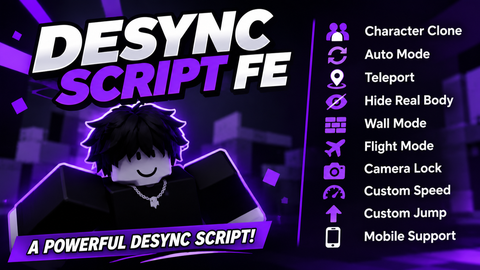
Take control with Desync Script FE! A feature-packed Roblox script with character cloning, movement controls, flight mode, and more. Features: - Character Clone - Auto Mode - Teleport - Hide Real Body - Wall Mode - Flight Mode - Camera Lock - Custom Movement Speed - Custom Jump Power - Mobile Support NOTE: Supported by executors that provides desync (or raknet.desync) access. Made by @PeppermintGrave
Updates
Script edited: Edited during review before approval
-- [[ God-Tier Tactical Version (Flight + Mobile Camera Lock + Perfect Timing) ]] --

local Player = game.Players.LocalPlayer
local UserInputService = game:GetService("UserInputService")
local RunService = game:GetService("RunService")
local Camera = workspace.CurrentCamera

-- Get the player controls (supports the mobile joystick)
local Controls = nil
pcall(function()
    local PlayerModule = require(Player:WaitForChild("PlayerScripts"):WaitForChild("PlayerModule"))
    Controls = PlayerModule:GetControls()
end)

-- 1. UI Setup
local ScreenGui = Instance.new("ScreenGui")
ScreenGui.Name = "GodMode_Ghost_Mobile"
ScreenGui.ResetOnSpawn = false
ScreenGui.Parent = Player:WaitForChild("PlayerGui")

local ToggleBtn = Instance.new("TextButton")
ToggleBtn.Size = UDim2.new(0, 70, 0, 70)
ToggleBtn.Position = UDim2.new(0, 20, 0.5, -190)
ToggleBtn.BackgroundColor3 = Color3.fromRGB(0, 120, 215)
ToggleBtn.Text = "CLONE\nOFF"
ToggleBtn.TextColor3 = Color3.new(0, 0, 0)
ToggleBtn.Font = Enum.Font.GothamBold
ToggleBtn.TextSize = 15
ToggleBtn.Parent = ScreenGui
Instance.new("UICorner", ToggleBtn).CornerRadius = UDim.new(1, 0)
local btnStroke = Instance.new("UIStroke", ToggleBtn)
btnStroke.Thickness = 3
btnStroke.Color = Color3.new(0, 0, 0)

local TimeBox = Instance.new("TextBox")
TimeBox.Size = UDim2.new(0, 70, 0, 25)
TimeBox.Position = UDim2.new(0, 20, 0.5, -105)
TimeBox.BackgroundColor3 = Color3.fromRGB(220, 220, 225)
TimeBox.TextColor3 = Color3.new(0, 0, 0)
TimeBox.Font = Enum.Font.GothamSemibold
Comments
0Log in to join the conversation. Login
No comments yet. Be the first!