2.4k Views
77 Executions

Does it work?
No reports yetNo reports yet. Tried it? Be the first to say.
Also noticed:
Description
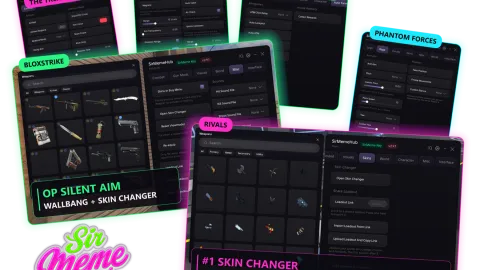
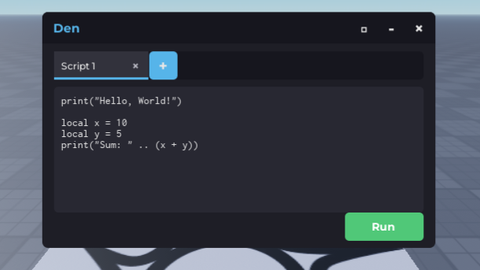
executor, key is menxdenxlenxdrenx btw
-- In a LocalScript (placed inside StarterGui)

-- Create the ScreenGui
local screenGui = Instance.new("ScreenGui")
screenGui.Name = "KeyGui"
screenGui.Parent = game.Players.LocalPlayer.PlayerGui

-- Create the Frame for the GUI
local frame = Instance.new("Frame")
frame.Size = UDim2.new(0.3, 0, 0.2, 0)
frame.Position = UDim2.new(0.35, 0, 0.4, 0)
frame.BackgroundColor3 = Color3.fromRGB(50, 50, 50)
frame.Parent = screenGui

-- Create the TextBox for entering the key
local keyTextBox = Instance.new("TextBox")
keyTextBox.Size = UDim2.new(0.8, 0, 0.3, 0)
keyTextBox.Position = UDim2.new(0.1, 0, 0.2, 0)
keyTextBox.PlaceholderText = "Enter the key..."
keyTextBox.TextColor3 = Color3.fromRGB(255, 255, 255)
keyTextBox.Parent = frame

-- Create the button to confirm the key entry
local confirmButton = Instance.new("TextButton")
confirmButton.Size = UDim2.new(0.8, 0, 0.3, 0)
confirmButton.Position = UDim2.new(0.1, 0, 0.6, 0)
confirmButton.Text = "Confirm"
confirmButton.TextColor3 = Color3.fromRGB(255, 255, 255)
confirmButton.BackgroundColor3 = Color3.fromRGB(100, 100, 100)
confirmButton.Parent = frame

-- The correct key (you can change this)
local correctKey = "menxdenxlenxdrenx"

-- The function that executes when the key is correct
local function onKeyEntered()
	if keyTextBox.Text == correctKey then
		-- LocalScript to be placed in StarterGui
		wait(1) -- Wait for services to load properly
Comments
0Log in to join the conversation. Login
No comments yet. Be the first!