2.4k Views
42 Executions
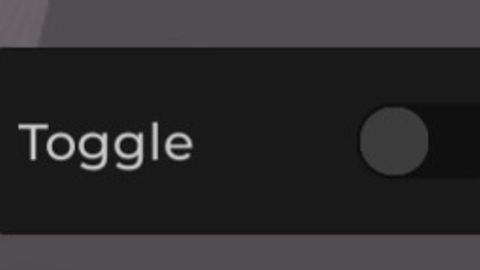
Cool toggle gui idk
Universal Script 📌
JeffFNFPublished 10
1 year ago
Please login to perform these actions:Does it work?
No reports yetNo reports yet. Tried it? Be the first to say.
Also noticed:
Description
Just a toggle and cool gui toggle If you see the print("On") or print("Off") you can Change the code :)
local TweenService = game:GetService("TweenService")
local Players = game:GetService("Players")
local UserInputService = game:GetService("UserInputService")
local Player = Players.LocalPlayer
local PlayerGui = Player:WaitForChild("PlayerGui")

-- Wait for PlayerGui to be ready
if not PlayerGui then
	Player.CharacterAdded:Wait()
	PlayerGui = Player:WaitForChild("PlayerGui")
end

-- Create ScreenGui
local gui = Instance.new("ScreenGui")
gui.Name = "AnimatedToggleGUI"
gui.ResetOnSpawn = false
gui.Parent = PlayerGui

-- Create Main Frame
local main = Instance.new("Frame")
main.Size = UDim2.new(0, 150, 0, 50)
main.Position = UDim2.new(0.5, -75, 0.5, -25)
main.BackgroundColor3 = Color3.fromRGB(25, 25, 25)
main.BorderSizePixel = 0
main.AnchorPoint = Vector2.new(0.5, 0.5)
main.Active = true -- Required for draggable
main.Draggable = true -- Makes the frame draggable
main.Parent = gui

-- Add corner to the main frame
local mainCorner = Instance.new("UICorner")
mainCorner.CornerRadius = UDim.new(0, 8)
mainCorner.Parent = main

-- Create Label
local label = Instance.new("TextLabel")
label.Size = UDim2.new(1, -60, 1, 0)
label.Position = UDim2.new(0, 10, 0, 0)
label.BackgroundTransparency = 1
label.Text = "Toggle"
Comments
0Log in to join the conversation. Login
No comments yet. Be the first!