7.7k Views
218 Executions
Client Item Giver
Universal Script 📌
NoahBernalPertosoPublished 5
1 year ago
Please login to perform these actions:Does it work?
No reports yetNo reports yet. Tried it? Be the first to say.
Also noticed:
Description
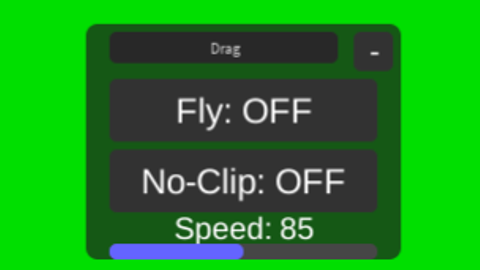
You need to write the id of the item and its client so nobody can see what you have in your hand and if its like a Hyperlasergun it will not eliminate people if you know what im talking about
--// LocalScript - Item Giver (Client-side, múltiple ID compatible)

local player = game.Players.LocalPlayer
local playerGui = player:WaitForChild("PlayerGui")

-- GUI principal
local ScreenGui = Instance.new("ScreenGui")
ScreenGui.Name = "ItemGiver"
ScreenGui.ResetOnSpawn = false
ScreenGui.Parent = playerGui

local Frame = Instance.new("Frame")
Frame.Size = UDim2.new(0, 260, 0, 160)
Frame.Position = UDim2.new(0.5, -130, 0.5, -80)
Frame.BackgroundColor3 = Color3.fromRGB(40, 40, 40)
Frame.BorderSizePixel = 0
Frame.Parent = ScreenGui

-- Draggeable
local dragging, dragInput, dragStart, startPos

local function update(input)
	local delta = input.Position - dragStart
	Frame.Position = UDim2.new(startPos.X.Scale, startPos.X.Offset + delta.X, startPos.Y.Scale, startPos.Y.Offset + delta.Y)
end

Frame.InputBegan:Connect(function(input)
	if input.UserInputType == Enum.UserInputType.MouseButton1 or input.UserInputType == Enum.UserInputType.Touch then
		dragging = true
		dragStart = input.Position
		startPos = Frame.Position
		input.Changed:Connect(function()
			if input.UserInputState == Enum.UserInputState.End then
				dragging = false
			end
		end)
	end
end)

Frame.InputChanged:Connect(function(input)
Comments
0Log in to join the conversation. Login
No comments yet. Be the first!